
Pricing Details
Starter: $24 per month. Includes 2.5k workflow executions, 5 active workflows, unlimited test ones, 1 shared project, 5 concurrent executions, unlimited users, and forum support. Pro: $60 per month. Offers 10k workflow executions, 15 active workflows, 3 shared projects, 20 concurrent executions, 7-day insights, admin roles, workflow history, and execution search. Enterprise: Contact for pricing. Includes unlimited executions, unlimited active workflows, 200+ concurrent executions, full SSO and LDAP, version control, scaling options, dedicated SLA support, and self-hosting options. Disclaimer: Please note that pricing information may not be up to date. For the most accurate and current pricing details, refer to the official n8n website.
Product Visuals (1 images)
Strengths
- Highly Customizable: Users can fine-tune workflows with custom code, providing flexibility for unique business requirements.
- Robust Integration Capabilities: The vast array of integrations enables seamless connection with existing tools and systems.
- User-Friendly Interface: The drag-and-drop builder simplifies workflow creation, reducing the complexity for non-technical users.
- Community and Support: With a large community and extensive resources, users can access support and share insights easily.
Limitations
- Initial Learning Curve: Mastering the full range of features and capabilities may require some time, especially for non-technical users.
- Resource-Intensive Setup: Setting up self-hosting and managing integrations can be resource-intensive for small teams.
What You Get
Key Features
- Flexible Workflow Automation: n8n allows users to construct workflows with either a visual builder or by coding, accommodating both non-coders and developers.
- Extensive Integration Options: With over 400 integrations available, n8n connects effortlessly with a multitude of apps, including Slack, Salesforce, and Asana.
- Customizable AI Agents: Users can build multi-step AI agents and integrate any language model into their workflows, enhancing task automation.
- Self-Hosting Capabilities: n8n provides the option for complete self-hosting, ensuring users have full control over their data and workflow execution.
- ProsHighly Customizable: Users can fine-tune workflows with custom code, providing flexibility for unique business requirements.Robust Integration Capabilities: The vast array of integrations enables seamless connection with existing tools and systems.User-Friendly Interface: The drag-and-drop builder simplifies workflow creation, reducing the complexity for non-technical users.Community and Support: With a large community and extensive resources, users can access support and share insights easily.ConsInitial Learning Curve: Mastering the full range of features and capabilities may require some time, especially for non-technical users.Resource-Intensive Setup: Setting up self-hosting and managing integrations can be resource-intensive for small teams.
Best For
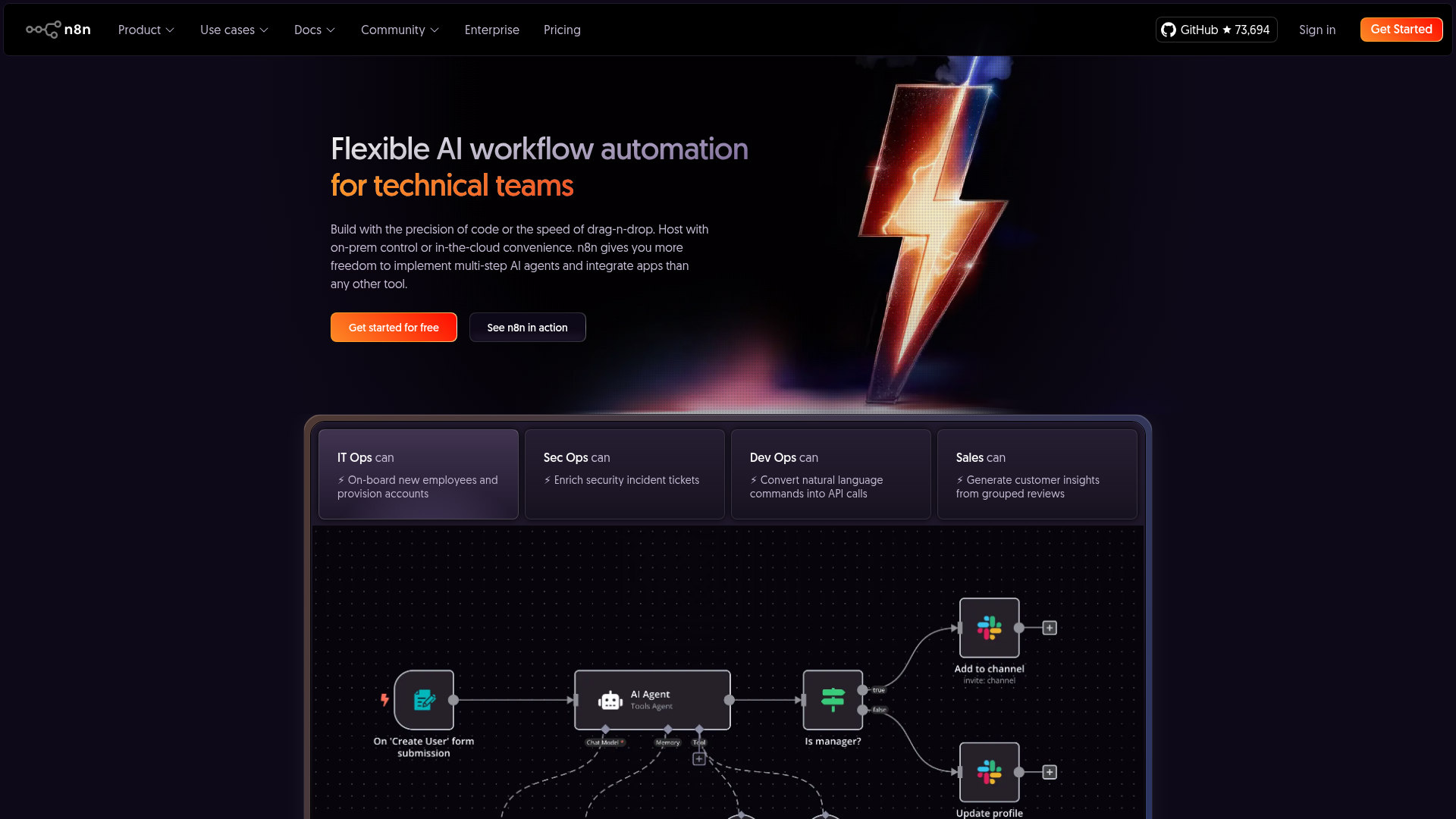
- IT Operations Teams: Streamlining processes such as onboarding new employees and managing IT tickets.
- Security Operations Centers: Automating incident ticket enrichment and response.
- Developers and DevOps Teams: Converting natural language commands into API calls for efficient development workflows.
- Sales Teams: Generating insights from customer reviews to enhance sales strategies.
- Uncommon Use Cases: Educational institutions using n8n for teaching automation concepts; Freelancers using n8n to automate client project workflows.
Similar Tools
Workflows tools · weekly digest
The AI Weekly — free in your inbox
New AI tools, pricing changes, expert picks, and hidden gems — curated by Mr. Spark every week. Join 5,000+ readers who stay ahead of the AI curve.