
Pricing Details
Free Tier: Experience Octoparse AI on the free plan. Paid Tier: Advanced features and more options are available at the first paid tier option of $30 per month. Disclaimer: Please note that pricing information may not be up to date. For the most accurate and current pricing details, refer to the official Octoparse AI website.
Product Visuals (1 images)
Strengths
- Ease of Use: The no-code platform makes it accessible for users of all technical backgrounds.
- Wide Range of Applications: Offers a comprehensive suite of apps to address various business needs.
- Scalability: Easily scales across different departments and business sizes.
- Enhanced Efficiency: Automates complex workflows, saving time and reducing manual errors.
Limitations
- Initial Setup Time: While no coding is required, setting up complex workflows may require some initial time investment.
- Limited Customization for Niche Needs: Users with highly specific requirements might find customization options limited.
Building your AI toolkit?
Save Octoparse AI and 1,000+ tools — free with Google, no spam
What You Get
Key Features
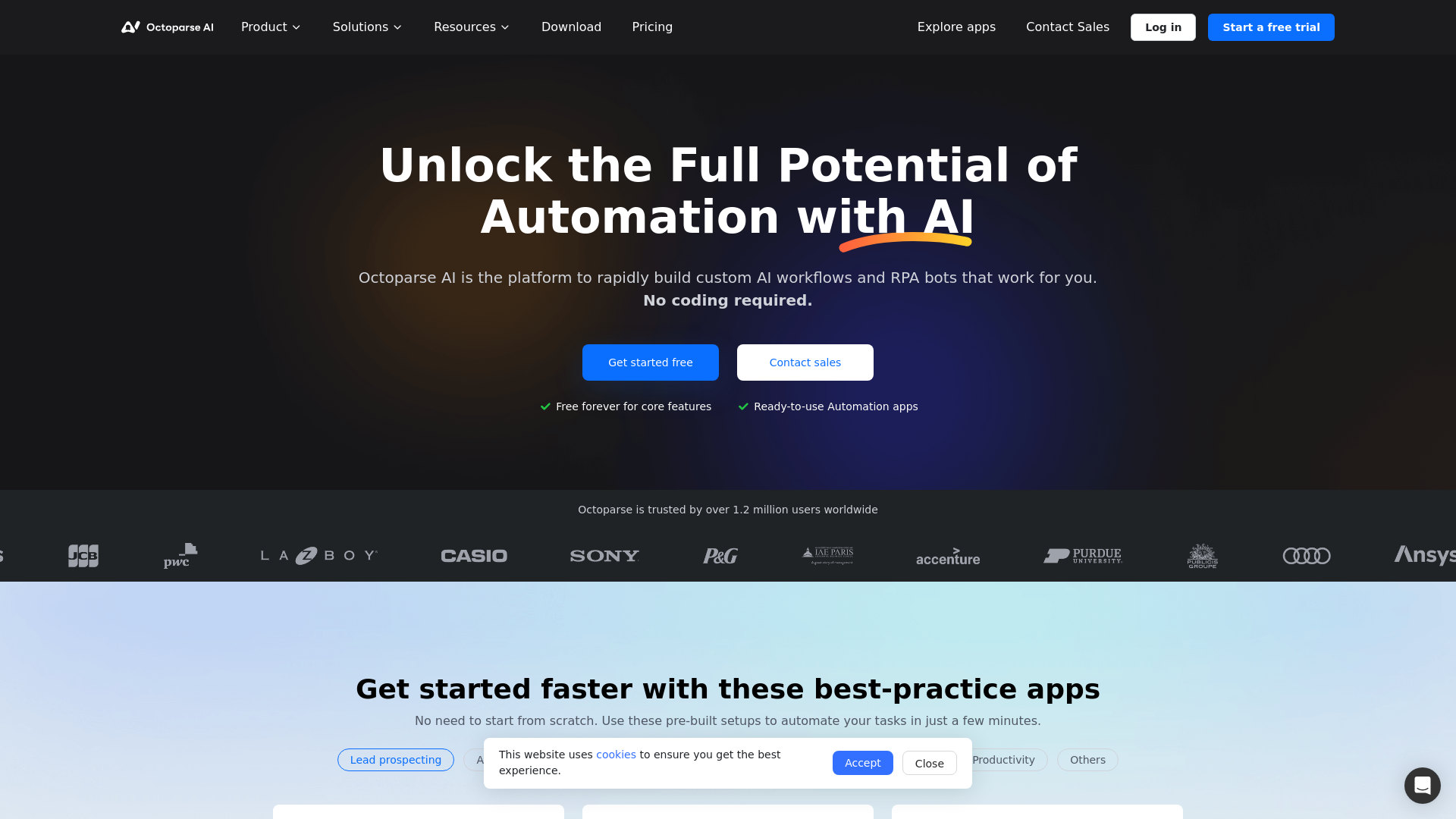
- No-Code Workflow Creation: Octoparse AI enables users to build production-ready automations without any coding, using a simple drag-and-drop interface.
- Ready-to-Use Automation Apps: Access a library of pre-built automation setups to quickly start automating tasks without starting from scratch.
- Integration with Leading AI Models: Users can access and compare AI models from top providers like OpenAI, Anthropic, and Google, ensuring the best fit for their business needs.
- Centralized Automation Management: Share and manage automation workflows across teams and departments, enhancing collaboration and efficiency.
- ProsEase of Use: The no-code platform makes it accessible for users of all technical backgrounds.Wide Range of Applications: Offers a comprehensive suite of apps to address various business needs.Scalability: Easily scales across different departments and business sizes.Enhanced Efficiency: Automates complex workflows, saving time and reducing manual errors.ConsInitial Setup Time: While no coding is required, setting up complex workflows may require some initial time investment.Limited Customization for Niche Needs: Users with highly specific requirements might find customization options limited.
Best For
- E-commerce Businesses: Utilizing the tool for automating inventory management and data analysis.
- Digital Marketing Agencies: Employing Octoparse AI to streamline client reporting and campaign automation.
- Data Analysts: Leveraging the platform for efficient data collection and processing.
- IT Departments: Using the tool to automate routine IT tasks and system monitoring.
- Uncommon Use Cases: Adopted by legal firms for automating document management; Used by non-profits to streamline donor engagement processes.
Similar Tools
Weekly Issue
⚡
Workflows tools · weekly digest
The AI Weekly — free in your inbox
New AI tools, pricing changes, expert picks, and hidden gems — curated by Mr. Spark every week. Join 5,000+ readers who stay ahead of the AI curve.
No spam, ever
Unsubscribe anytime
100% free