
Pricing Details
Free: $0 per seat per month. Includes project and work item tracking, cycles and modules, layouts and views, work item intake, estimates, and project pages for up to 12 seats. Pro: $8 per seat per month. Adds workspace wiki, time tracking, dashboards, teamspaces, integrations, and marketplace support, with unlimited seats and a 1:5 guest ratio. Business: $15 per seat per month. Includes everything in Pro plus project templates, recurring work items, nested pages, workflows, customer management, and advanced dashboard widgets. Enterprise Grid (Coming Soon): Custom pricing. Adds private managed deployments, granular access control, LDAP support, API-enabled audit logs, and implementation services. Disclaimer: For the most accurate and current pricing details, refer to the official Plane website.
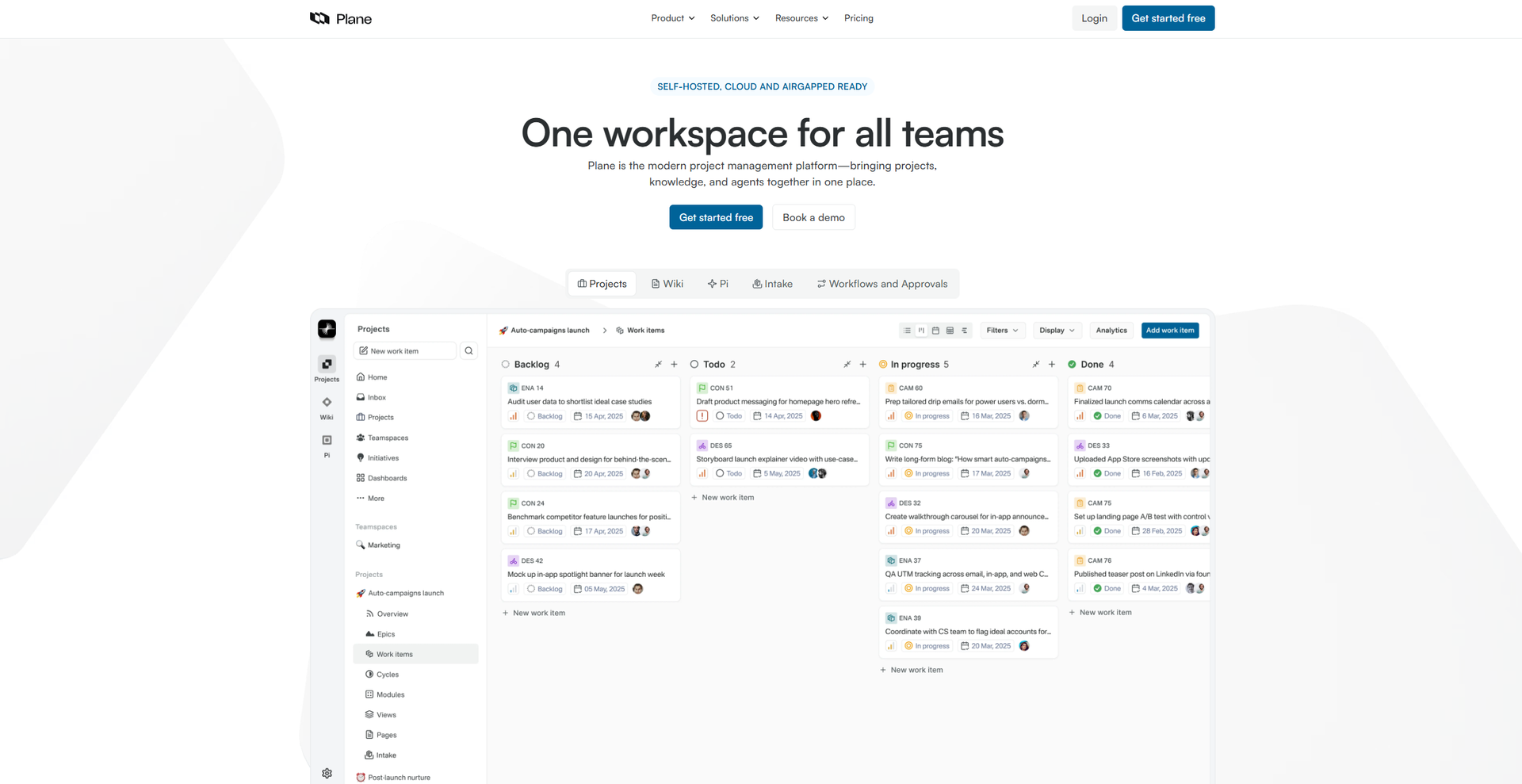
Product Visuals (1 images)
Strengths
- Open Source: Being open source, it allows for customization and transparency, giving users control over their project management tool.
- User-Friendly Interface: The intuitive design makes it accessible for users of all technical levels.
- Scalable Solutions: Suitable for both small teams and large organizations, accommodating growth and changing needs.
- Cost-Effective: As an open-source tool, it provides a budget-friendly solution for project management.
Limitations
- Initial Setup Complexity: May require technical expertise for initial setup and customization.
- Limited Built-in Features: Some users might find the out-of-the-box features lacking without additional integrations.
What You Get
Key Features
- Task Management: Provides a comprehensive task management system with features like task assignment, priority setting, and due dates.
- Collaboration Tools: Includes real-time collaboration features that allow team members to communicate and work together effectively.
- Customizable Workflows: Offers customizable workflows that can be tailored to fit the unique processes of any team.
- Integration Support: Supports integration with popular tools and platforms to enhance functionality and streamline processes.
- ProsOpen Source: Being open source, it allows for customization and transparency, giving users control over their project management tool.User-Friendly Interface: The intuitive design makes it accessible for users of all technical levels.Scalable Solutions: Suitable for both small teams and large organizations, accommodating growth and changing needs.Cost-Effective: As an open-source tool, it provides a budget-friendly solution for project management.ConsInitial Setup Complexity: May require technical expertise for initial setup and customization.Limited Built-in Features: Some users might find the out-of-the-box features lacking without additional integrations.
Best For
- Software Development Teams: Utilizing it for tracking bugs, managing sprints, and coordinating development tasks.
- Project Managers: Employing it to oversee project timelines and ensure team alignment.
- Startups: Leveraging its cost-effective nature to manage projects without breaking the bank.
- IT Departments: Using it to streamline IT project workflows and enhance productivity.
- Uncommon Use Cases: Adopted by non-profit organizations for managing volunteer projects; utilized by educational institutions for coordinating academic research projects.
Similar Tools



Project Management tools · weekly digest
The AI Weekly — free in your inbox
New AI tools, pricing changes, expert picks, and hidden gems — curated by Mr. Spark every week. Join 5,000+ readers who stay ahead of the AI curve.