
Pricing Details
Disclaimer: For the most accurate and current pricing details, refer to the official Prisma Editor website.
Product Visuals (1 images)
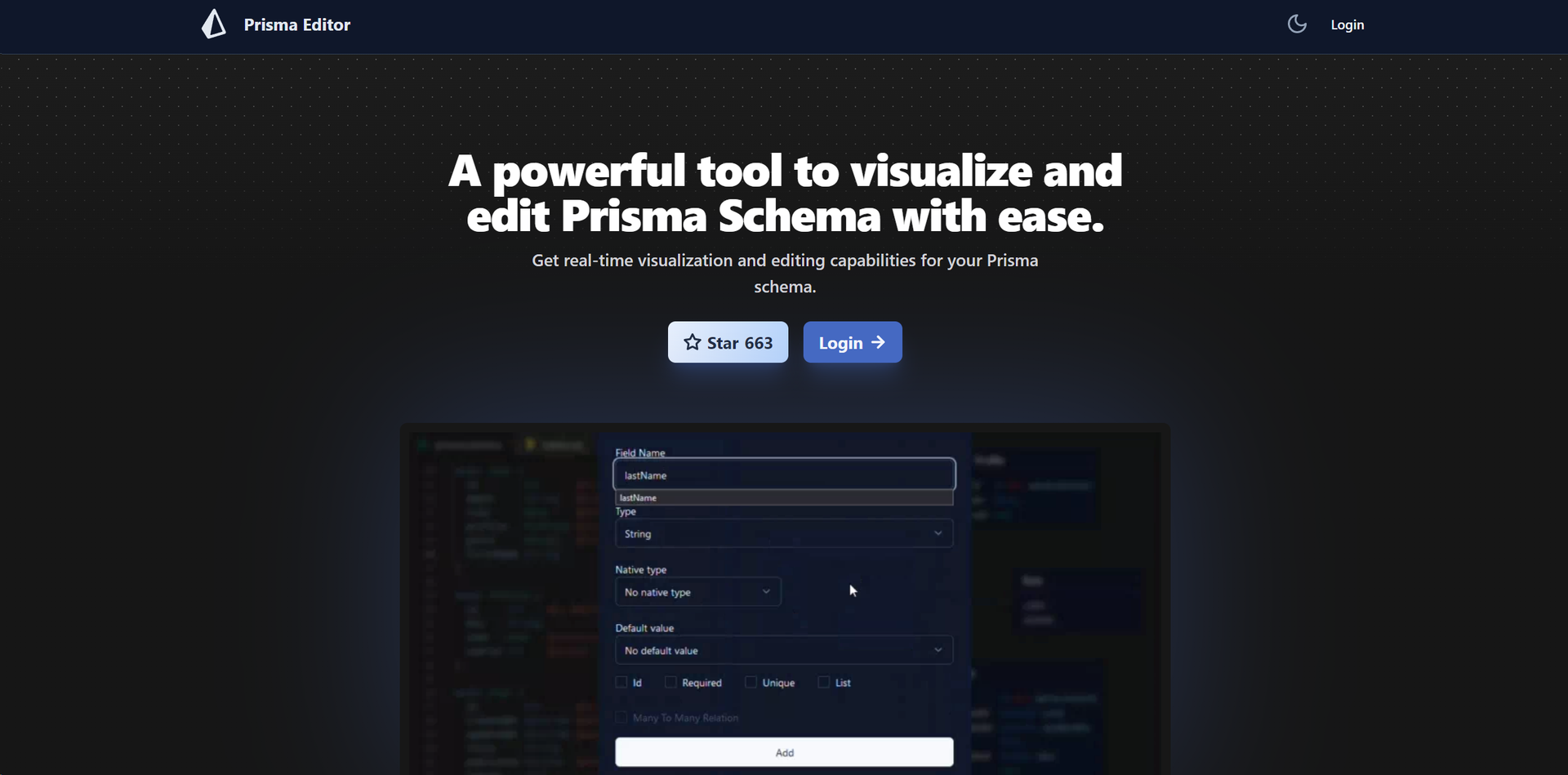
Strengths
- Enhanced Collaboration: Makes it easier for teams to work together on database schema design and management.
- Increased Efficiency: Real-time visualization and direct editing reduce the time spent on schema development.
- Intuitive User Experience: The user-friendly interface lowers the learning curve for new users.
- Innovative Integration: The integration with OpenAI's API opens up new possibilities for automated schema generation.
Limitations
- Community Project: Being a community project, there might be limitations in terms of support and updates.
- Learning Curve: Despite the intuitive design, users unfamiliar with Prisma may need time to fully leverage all features.
Building your AI toolkit?
Save Prisma Editor and 1,000+ tools — free with Google, no spam
What You Get
Key Features
- Real-time Visualization: Instantly see your database structures evolve as you add, modify, or maintain them.
- Direct Schema Editing: Allows for the direct manipulation of your Prisma Schema right from the graphical interface.
- Schema Sharing: Facilitates collaboration by enabling users to share their schema with others through a simple link.
- User-friendly Interface: Designed with intuitiveness in mind, ensuring a seamless schema editing and management experience.
- SQL Code Generation: Automatically generates SQL code based on your schema, streamlining the development process.
- OpenAI Integration: Harness the power of OpenAI's natural language processing API to generate boilerplate schema code using natural language prompts.
- ProsEnhanced Collaboration: Makes it easier for teams to work together on database schema design and management.Increased Efficiency: Real-time visualization and direct editing reduce the time spent on schema development.Intuitive User Experience: The user-friendly interface lowers the learning curve for new users.Innovative Integration: The integration with OpenAI's API opens up new possibilities for automated schema generation.ConsCommunity Project: Being a community project, there might be limitations in terms of support and updates.Learning Curve: Despite the intuitive design, users unfamiliar with Prisma may need time to fully leverage all features.
Best For
- Web Developers: Utilizing the tool to streamline the development of database schemas for web applications.
- Database Administrators: Employing the tool for efficient database schema management and visualization.
- Application Development Teams: Leveraging the tool to enhance collaboration and productivity in application development.
- Educational Institutions: Using Prisma Editor as a teaching aid in courses focused on database management and application development.
- Uncommon Use Cases: Adopted by non-profit organizations for managing volunteer and donation database schemas; Used by startups for rapid prototyping of database-driven applications.
- Relevant:
- Website Builder AI
- AI Gaming Tools
- Workflow Automations
Integrations
OpenAI Integration: Seamlessly integrates with OpenAI's natural language processing API for innovative schema generation. SQL Generation: Supports automatic SQL code generation, facilitating easier database management. Community Project: As a community-driven tool, Prisma Editor benefits from contributions that enhance its functionalities and integrations over time.
Similar Tools
Weekly Issue
⚡
Code Assistant tools · weekly digest
The AI Weekly — free in your inbox
New AI tools, pricing changes, expert picks, and hidden gems — curated by Mr. Spark every week. Join 5,000+ readers who stay ahead of the AI curve.
No spam, ever
Unsubscribe anytime
100% free