
Pricing Details
Pro Plan: $25 per month. Includes 50 monthly credits, Swift UI support, AI Design System, and priority support. Ideal for individual builders prototyping quickly. Business Plan: $50 per month. Offers 100 monthly credits and all Pro features, suited for teams or professional builders needing advanced capabilities. Max Plan: $100 per month. Doubles usage with 200 monthly credits, includes all Business features, and adds dedicated support. Enterprise Plan: Custom pricing. Provides dedicated support, onboarding, group access control, and custom integrations for large organizations needing scalability and governance. Disclaimer: Please note that pricing information may not be up to date. For the most accurate and current pricing details, refer to the official Superapp website.
Product Visuals (1 images)
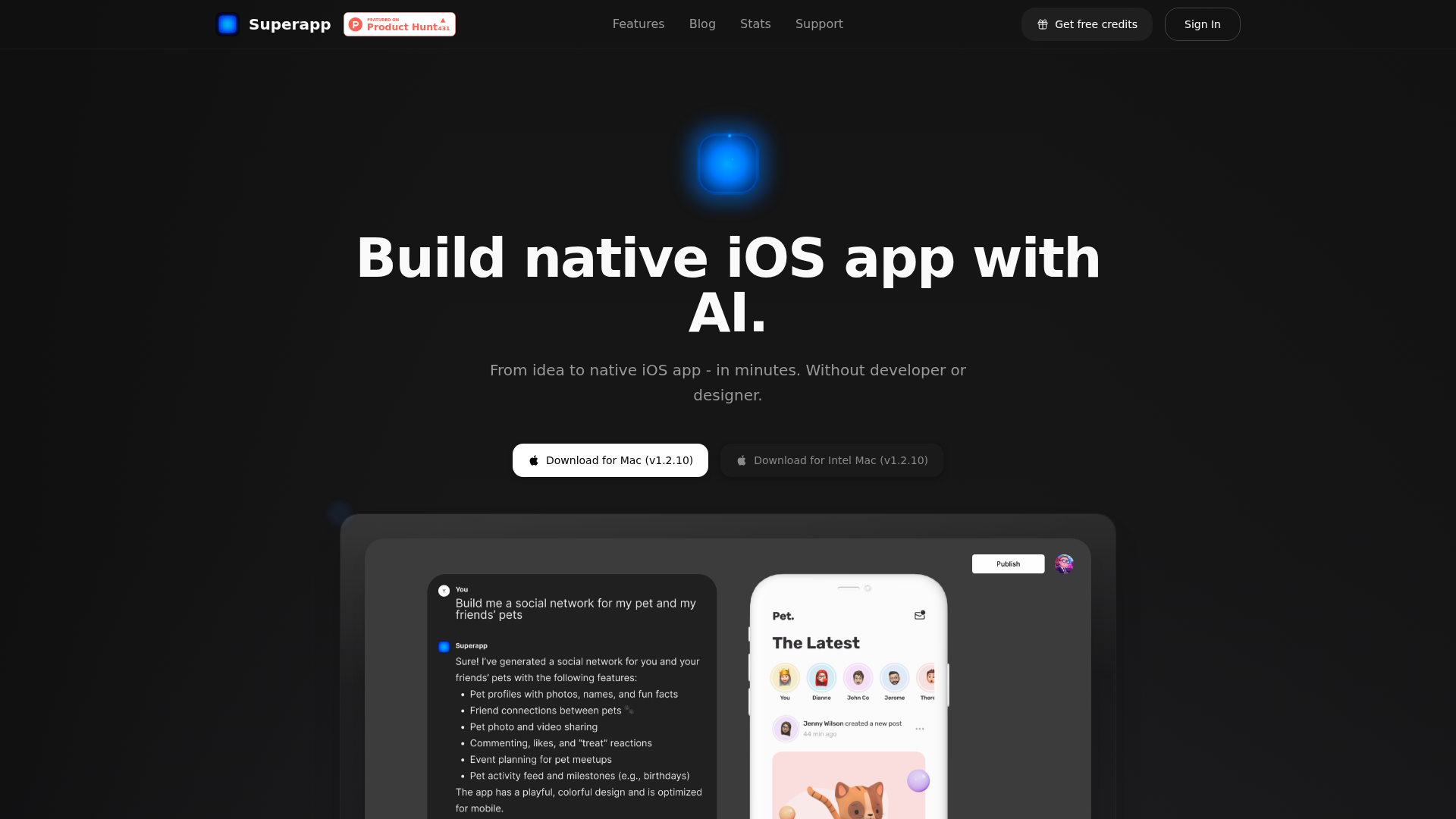
Strengths
- Time Efficiency: Drastically reduces the time required to develop an app, from concept to launch.
- Cost-Effective: Minimizes the need for large development teams, cutting down on labor costs.
- User-Friendly Interface: Intuitive design makes it accessible to users with varying levels of technical expertise.
- Comprehensive Support: Offers extensive documentation and customer support to assist users throughout the development process.
Limitations
- Learning Curve: Beginners may need time to fully understand all the features and capabilities.
- Platform Limitation: Currently focused on iOS, limiting cross-platform development options.
- Integration Constraints: Limited support for integrating with non-Apple services and platforms.
What You Get
Key Features
- AI-Driven Development: Superapp uses advanced AI algorithms to streamline the app-building process, reducing the need for manual coding and accelerating development timelines.
- Real-Time Collaboration: With its collaborative tools, multiple users can work on the same project simultaneously, enhancing team productivity and communication.
- Customizable Templates: Offers a variety of templates that are fully customizable, enabling users to create unique app designs without starting from scratch.
- Integrated Testing Tools: Built-in testing features allow users to test their apps in real-time, ensuring functionality and performance before deployment.
- ProsTime Efficiency: Drastically reduces the time required to develop an app, from concept to launch.Cost-Effective: Minimizes the need for large development teams, cutting down on labor costs.User-Friendly Interface: Intuitive design makes it accessible to users with varying levels of technical expertise.Comprehensive Support: Offers extensive documentation and customer support to assist users throughout the development process.ConsLearning Curve: Beginners may need time to fully understand all the features and capabilities.Platform Limitation: Currently focused on iOS, limiting cross-platform development options.Integration Constraints: Limited support for integrating with non-Apple services and platforms.
Best For
- Startups: Leveraging the tool to quickly build and iterate on app ideas without extensive resources.
- Freelance Developers: Utilizing it to offer rapid app development services to clients.
- Tech Entrepreneurs: Employing the platform to prototype and launch minimum viable products (MVPs) efficiently.
- Educational Institutions: Using it as a teaching tool in app development courses.
- Uncommon Use Cases: Adopted by non-profit organizations for creating apps that support their causes; Used by research labs to develop experimental app prototypes for studies.
Similar Tools
Code Assistant tools · weekly digest
The AI Weekly — free in your inbox
New AI tools, pricing changes, expert picks, and hidden gems — curated by Mr. Spark every week. Join 5,000+ readers who stay ahead of the AI curve.