
Pricing Details
Standard Plan: Contact Tabs for customized pricing options based on business needs and volume. Disclaimer: For the most accurate and current pricing details, refer to the official Tabs website.
Product Visuals (1 images)
Strengths
- Time-Saving: Greatly reduces the hours spent on manual contract management and invoice calculations.
- Improved Cash Flow: By ensuring invoices are sent on time, Tabs helps speed up the payment process.
- Error Reduction: Minimizes human errors in billing, leading to more accurate financial operations.
- Scalability: Supports growing B2B businesses by making it easier to manage increasing volumes of contracts and billing processes.
Limitations
- Learning Curve: New users may need some time to familiarize themselves with the software’s full range of capabilities.
- Integration Dependencies: Maximum efficiency is achieved when integrated with other systems, which might be a hurdle for businesses with less tech infrastructure.
- Cost Consideration: For small businesses, the cost might be a significant factor to consider.
What You Get
Key Features
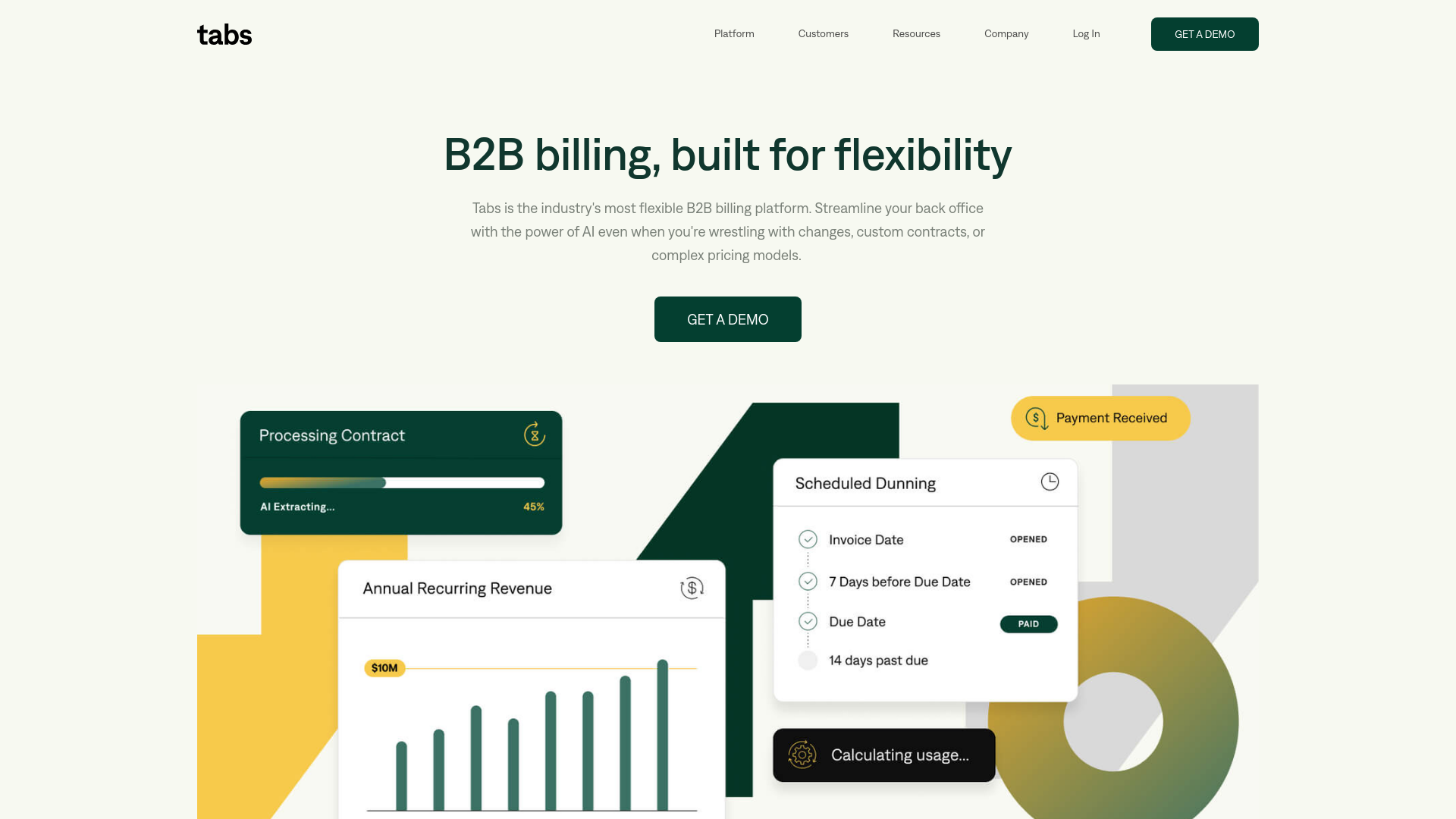
- AI-Powered Contract Management: Tabs uses advanced AI to read, understand, and organize even the most complex contracts.
- Automated Invoice Calculation: Automatically cross-references and updates terms when calculating invoices, reducing errors and saving time.
- Efficient Dunning Processes: Automates follow-ups and cash application, ensuring timely payments and reducing DSO.
- Robust Reporting and Analytics: Offers comprehensive insights into AR processes, helping businesses gain visibility and control over their operations.
- ProsTime-Saving: Greatly reduces the hours spent on manual contract management and invoice calculations.Improved Cash Flow: By ensuring invoices are sent on time, Tabs helps speed up the payment process.Error Reduction: Minimizes human errors in billing, leading to more accurate financial operations.Scalability: Supports growing B2B businesses by making it easier to manage increasing volumes of contracts and billing processes.ConsLearning Curve: New users may need some time to familiarize themselves with the software’s full range of capabilities.Integration Dependencies: Maximum efficiency is achieved when integrated with other systems, which might be a hurdle for businesses with less tech infrastructure.Cost Consideration: For small businesses, the cost might be a significant factor to consider.
Best For
- E-commerce Businesses: Enhance their revenue management processes.
- Finance Departments: Large and small businesses use Tabs to handle complex billing cycles.
- B2B Service Providers: Manage their varied contract terms more efficiently.
- Tech Startups: Utilize Tabs for agile financial operations.
- Uncommon Use Cases: Non-profits adopting Tabs for better fund management; educational institutions using it for administrative financial management.
Integrations
ERP Systems: Seamlessly integrates with most Enterprise Resource Planning systems. Data Analytics Tools: Compatible with major analytics platforms to enhance data insight capabilities. CRM Software: Works well with Customer Relationship Management software to streamline customer financial interactions. Cloud Storage: Integrates with cloud storage solutions for backing up important financial documents and data.
Similar Tools

Weekly Issue
⚡
Finance tools · weekly digest
The AI Weekly — free in your inbox
New AI tools, pricing changes, expert picks, and hidden gems — curated by Mr. Spark every week. Join 5,000+ readers who stay ahead of the AI curve.
No spam, ever
Unsubscribe anytime
100% free