
Pricing Details
Free Tier: $0 forever with a single slot capacity and a 7-day Pro trial. Lite Tier: $10 per user per month, offering 3x capacity and priority support. Pro Tier: $25 per user per month, includes everything in Lite plus 9x capacity. Pro+ Tier: $40 per user per month, with 15x capacity and faster recharge rates. Disclaimer: Please note that pricing information may not be up to date. For the most accurate and current pricing details, refer to the official Traycer website.
Product Visuals (1 images)
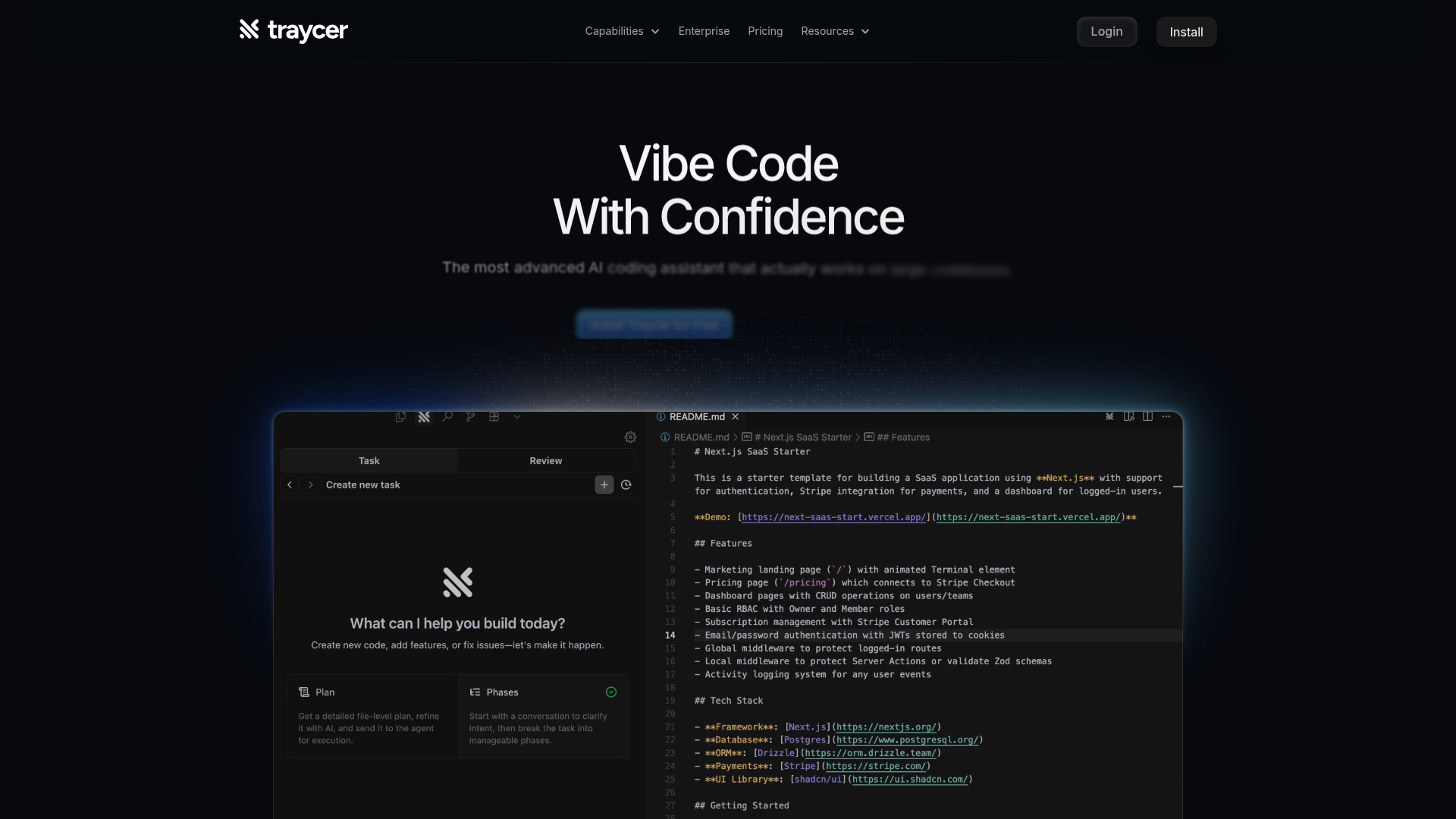
Strengths
- Time Efficiency: Dramatically reduces feature development time, turning multi-day tasks into mere hours.
- Enhanced Planning: Provides a structured approach to coding, which helps in maintaining codebase coherence.
- User-Friendly Interface: The intuitive design makes it easy for developers to understand and interact with the tool.
- Integration Flexibility: Compatible with all major AI coding agents, allowing for flexible execution across platforms.
Limitations
- Initial Learning Curve: New users might take some time to get accustomed to the advanced planning features.
- Limited Third-Party Integrations: While flexible with AI agents, it may lack broader integration with other development tools.
What You Get
Key Features
- Spec-Driven Development: Traycer starts each task with a comprehensive, actionable plan, ensuring that developers can iterate on ideas rather than cryptic code.
- Parallel Agents: Allows multiple planning agents to work in the background, significantly speeding up task completion.
- One Click Hand-Off: Once a plan is complete, code can be generated with just a click using popular AI agents like Cursor and Claude Code.
- Verification and Guardrails: Traycer scans the codebase to verify AI-generated changes, implementing course corrections to prevent bad code from reaching production.
- ProsTime Efficiency: Dramatically reduces feature development time, turning multi-day tasks into mere hours.Enhanced Planning: Provides a structured approach to coding, which helps in maintaining codebase coherence.User-Friendly Interface: The intuitive design makes it easy for developers to understand and interact with the tool.Integration Flexibility: Compatible with all major AI coding agents, allowing for flexible execution across platforms.ConsInitial Learning Curve: New users might take some time to get accustomed to the advanced planning features.Limited Third-Party Integrations: While flexible with AI agents, it may lack broader integration with other development tools.
Best For
- Software Development Teams: Enhancing their workflow by breaking down complex coding tasks.
- Startups: Using Traycer to quickly iterate and deploy new features.
- Freelance Developers: Benefiting from the time-saving features when working on multiple projects.
- Educational Institutions: Incorporating Traycer into coding curriculums to teach efficient coding practices.
- Uncommon Use Cases: Utilized by tech bloggers for automated code snippets; Adopted by game developers for rapid prototyping.
Similar Tools
Weekly Issue
⚡
Code Assistant tools · weekly digest
The AI Weekly — free in your inbox
New AI tools, pricing changes, expert picks, and hidden gems — curated by Mr. Spark every week. Join 5,000+ readers who stay ahead of the AI curve.
No spam, ever
Unsubscribe anytime
100% free