
Pricing Details
Free trial: Create up to 3 Chronicle creations before choosing a plan. Pro: $30 per month. Includes 1,500 tokens, PDF/URL import, extra fonts and themes, watermark removal, up to 3 guest editors, and priority support. Team: $40 per user/month. Offers 3,000 tokens, custom fonts, branding, shared workspace, unlimited guests, shared content database, admin controls, and priority support. Disclaimer: Please note that pricing information may not be up to date. For the most accurate and current pricing details, refer to the official Chronicle website.
Product Visuals (1 images)
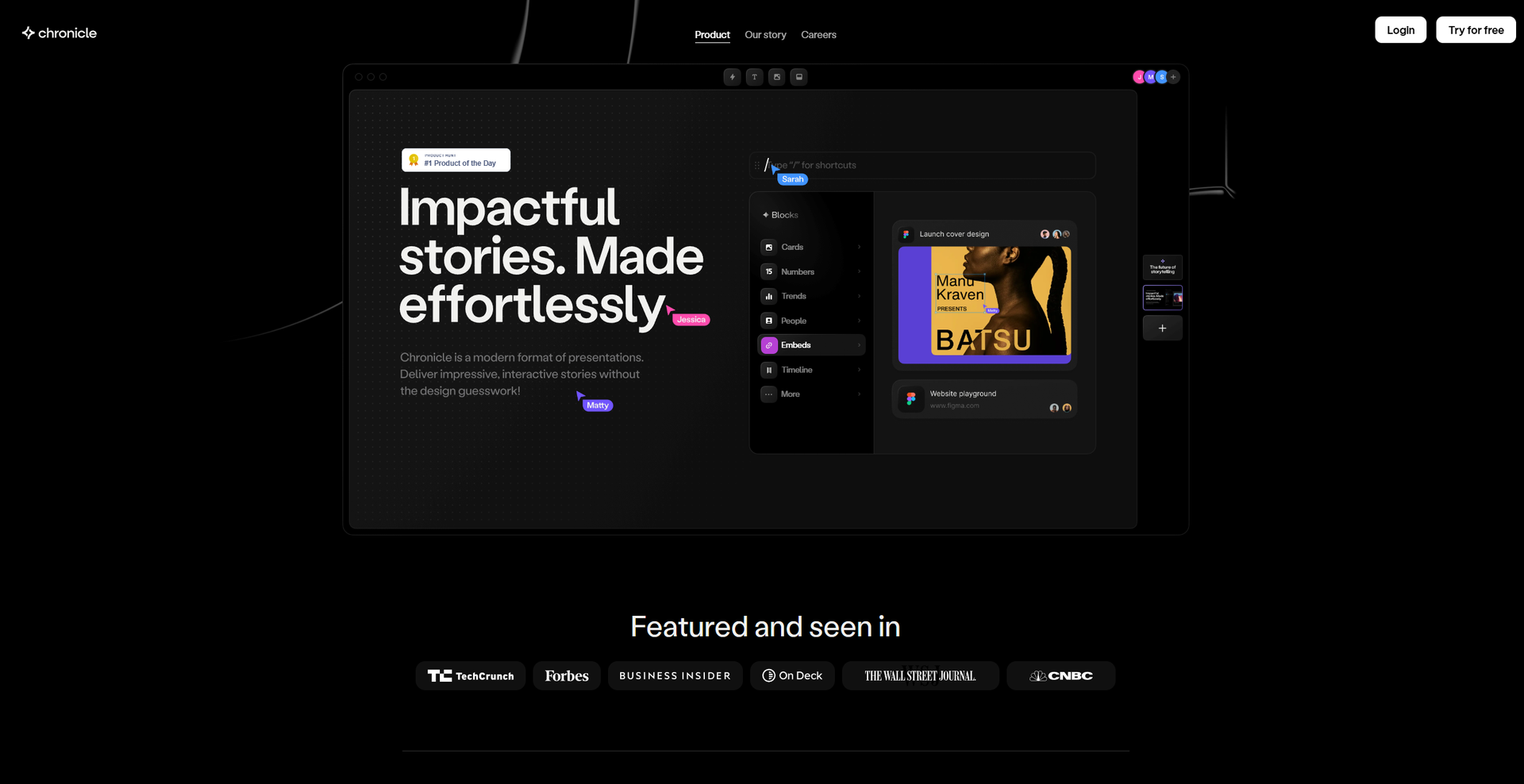
Strengths
- User-Friendly Design: The intuitive interface makes it easy for anyone to create professional presentations.
- Real-Time Collaboration: Enables teams to work together on presentations with seamless real-time collaboration features.
- Time-Saving: The AI-driven tools and shortcuts significantly reduce the time needed to create presentations.
- Engaging Outputs: With interactive effects and emotes, presentations become more engaging and fun.
Limitations
- Learning Curve: Although user-friendly, some users might need time to explore all the features fully.
- Limited Mobile Features: While offering a mobile experience, some advanced features are best utilized on a desktop.
Building your AI toolkit?
Save Chronicle and 1,000+ tools — free with Google, no spam
What You Get
Key Features
- Widgets: Chronicle uses Widgets that provide pixel-perfect design, interactivity, and motion straight out of the box. This feature allows users to drag and drop elements on the canvas easily.
- Customization: The tool offers effortless customization options, ensuring that presentations maintain a professional look regardless of edits.
- Integration: Users can embed content from hundreds of tools, seamlessly integrating various outputs into their presentations.
- AI Assistance: Chronicle leverages AI to research, generate, and remix presentations, turning raw ideas into polished outputs in seconds.
- ProsUser-Friendly Design: The intuitive interface makes it easy for anyone to create professional presentations.Real-Time Collaboration: Enables teams to work together on presentations with seamless real-time collaboration features.Time-Saving: The AI-driven tools and shortcuts significantly reduce the time needed to create presentations.Engaging Outputs: With interactive effects and emotes, presentations become more engaging and fun.ConsLearning Curve: Although user-friendly, some users might need time to explore all the features fully.Limited Mobile Features: While offering a mobile experience, some advanced features are best utilized on a desktop.
Best For
- Corporate Teams: Utilizing Chronicle to create dynamic presentations for meetings and pitches.
- Educational Institutions: Employing the tool to enhance educational materials and lectures.
- Marketing Professionals: Leveraging the platform for creating captivating marketing strategies and product roadmaps.
- Freelancers: Using Chronicle for client presentations and creative storytelling.
- Uncommon Use Cases: Used by non-profit organizations for impactful storytelling; adopted by content creators to enhance video scripts and presentations.
Similar Tools

Presentations tools · weekly digest
The AI Weekly — free in your inbox
New AI tools, pricing changes, expert picks, and hidden gems — curated by Mr. Spark every week. Join 5,000+ readers who stay ahead of the AI curve.