
Pricing Details
Free Trial: Get started with Clueso with a free demo to explore its capabilities. Subscription Plans: Detailed pricing plans are available upon request, ensuring you get the features you need tailored to your business size. Disclaimer: For the most accurate and current pricing details, refer to the official Clueso website.
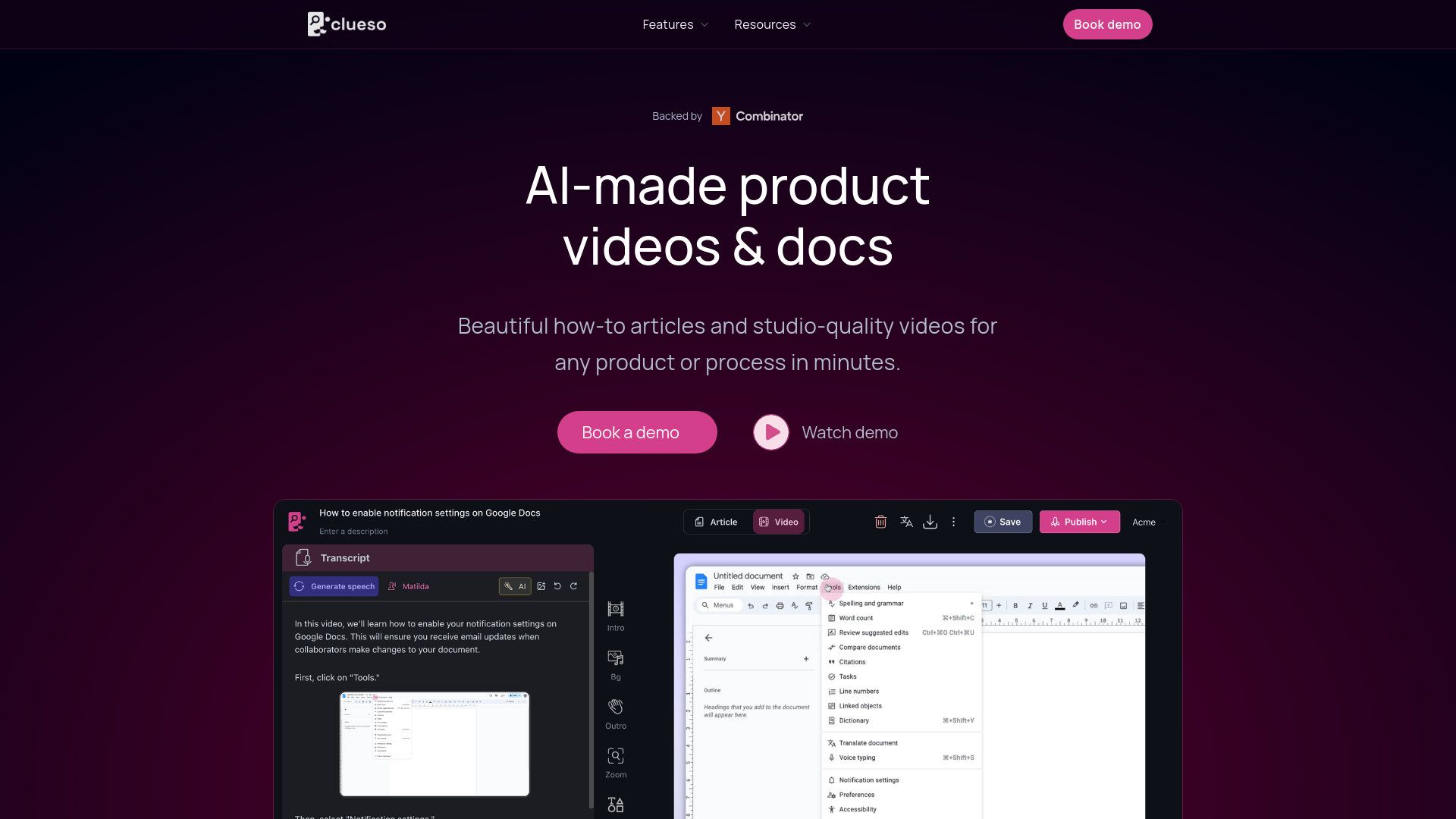
Product Visuals (1 images)
Strengths
- Efficiency in Content Creation: Reduces the time taken to create videos and documents from hours to minutes.
- Ease of Use: Intuitive interface that requires no prior script or extensive preparation.
- High Customizability: Offers numerous formatting options and the ability to match the visual design to your brand identity.
- Scalability: Suitable for both small businesses and large enterprises looking to enhance their training and marketing materials.
Limitations
- Dependency on Screen Recordings: Primarily relies on the quality of input screen recordings.
- Learning Curve: New users might need some time to fully exploit the advanced features.
- Limited Offline Functionality: Requires an internet connection for full functionality, including translation features.
What You Get
Key Features
- Studio-Quality Video Production: Clueso turns basic screen recordings into professional videos complete with AI voices, zoom effects, and custom branding.
- Automated Documentation: Generate detailed, step-by-step written guides with screenshots automatically captured as you record your screen.
- Multi-Language Support: With a single click, Clueso translates your videos and documents into over 20 languages, making it ideal for global reach.
- Integrated Knowledge Base: Host all your created content on a customizable help site, which can be either public for SEO benefits or private for internal use.
- ProsEfficiency in Content Creation: Reduces the time taken to create videos and documents from hours to minutes.Ease of Use: Intuitive interface that requires no prior script or extensive preparation.High Customizability: Offers numerous formatting options and the ability to match the visual design to your brand identity.Scalability: Suitable for both small businesses and large enterprises looking to enhance their training and marketing materials.ConsDependency on Screen Recordings: Primarily relies on the quality of input screen recordings.Learning Curve: New users might need some time to fully exploit the advanced features.Limited Offline Functionality: Requires an internet connection for full functionality, including translation features.
Best For
- Corporate Trainers: Utilizing the tool to speed up employee onboarding and training processes.
- Marketing Teams: Creating compelling product demos and tutorials for product marketing.
- Customer Support Managers: Developing detailed help articles and videos to enhance customer support.
- Software Developers: Streamlining developer onboarding with engaging educational content.
- Uncommon Use Cases: Non-profit organizations use it for creating training materials for volunteers; small startups use it for cost-effective content creation without needing external agencies.
Integrations
Custom Help Sites: Easily integrate your content into a beautifully designed help site. Multi-platform Support: Compatible with various operating systems, ensuring smooth operation across different devices. API Access: Offers API integration for custom usage in large-scale operations. Third-Party Integration: Seamlessly works with existing content management systems.
Similar Tools
Weekly Issue
⚡
Video Generators tools · weekly digest
The AI Weekly — free in your inbox
New AI tools, pricing changes, expert picks, and hidden gems — curated by Mr. Spark every week. Join 5,000+ readers who stay ahead of the AI curve.
No spam, ever
Unsubscribe anytime
100% free