
Pricing Details
Free Tier: Users can start with Dezgo's basic features at no cost. Pro Tier: Advanced features and higher usage limits available with subscription plans. Disclaimer: For the most accurate and current pricing details, refer to the official Dezgo website.
Product Visuals (1 images)
Strengths
- High-Quality Outputs: Produces exceptionally detailed and realistic images.
- Versatility: Wide range of tools caters to various content creation needs.
- User-Friendly Interface: Designed for ease of use, regardless of technical expertise.
- Customization and Control: Extensive options to guide the AI for desired results.
Limitations
- Learning Curve: New users may need time to familiarize themselves with all available features.
- Beta Features: Some features like text-to-video are still in beta and may have limitations.
- Resource Intensive: High-quality outputs and advanced features may require significant computational resources.
What You Get
Key Features
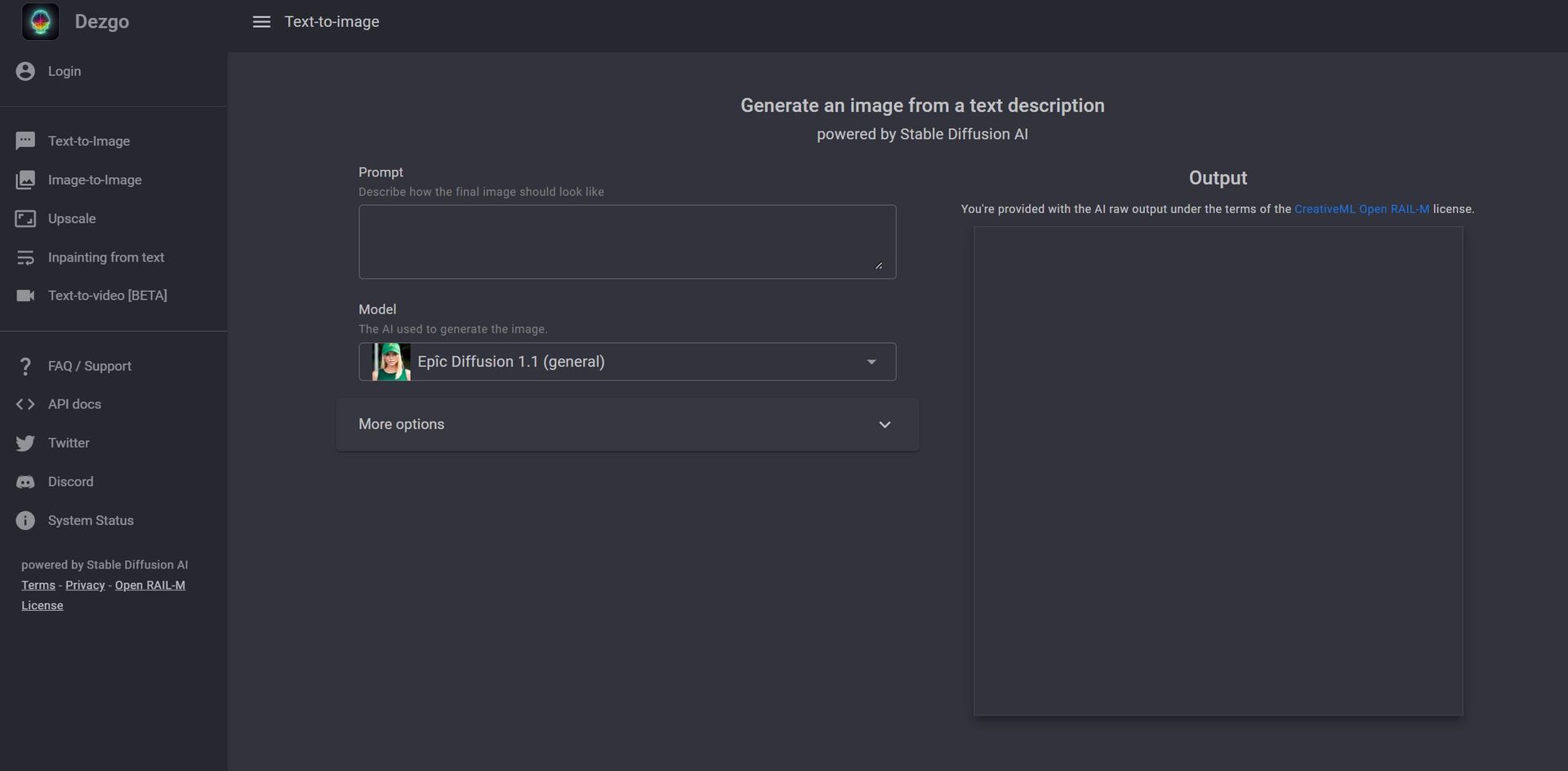
- Text-to-Image Generation: Utilizes Stable Diffusion AI to create detailed images from text prompts.
- Text-to-Video [BETA]: Explores the frontier of turning textual descriptions into engaging video content.
- Image-to-Image Transformation: Offers the ability to modify existing images through AI-driven enhancements.
- Inpainting from Text: Allows users to edit parts of an image by describing the desired changes in text.
- Remove Background: Provides tools for cleanly removing the background from any image.
- Upscale: Enhances image resolution using the Real-ESRGAN model, currently supporting a factor of 2 upscale.
- Controlled Text-to-Image: Adjusts AI guidance for more precise adherence to the user's prompts.
- Extensive Customization Options: Offers settings for model choice, resolution, negative prompts, and more to fine-tune the output.
- ProsHigh-Quality Outputs: Produces exceptionally detailed and realistic images.Versatility: Wide range of tools caters to various content creation needs.User-Friendly Interface: Designed for ease of use, regardless of technical expertise.Customization and Control: Extensive options to guide the AI for desired results.ConsLearning Curve: New users may need time to familiarize themselves with all available features.Beta Features: Some features like text-to-video are still in beta and may have limitations.Resource Intensive: High-quality outputs and advanced features may require significant computational resources.
Best For
- Graphic Designers: For creating complex visuals without the need for extensive drafting.
- Content Creators: To generate unique images or videos for social media and other digital platforms.
- Marketing Agencies: For crafting engaging visuals for campaigns or branding purposes.
- Game Developers: To conceptualize environments, characters, or items.
- Uncommon Use Cases: Academics using it for visualizing data or concepts; Novelists for bringing scenes or characters to life visually.
Integrations
API Access: Developers can integrate Dezgo's functionalities into their own applications. High-Resolution Outputs: Compatible with various digital platforms requiring high-quality visuals. Customization Options: Supports a wide array of settings to tailor outputs to specific needs. Community Support: Active user community on platforms like Discord for sharing tips and getting help.
Similar Tools
Weekly Issue
⚡
Video Generators tools · weekly digest
The AI Weekly — free in your inbox
New AI tools, pricing changes, expert picks, and hidden gems — curated by Mr. Spark every week. Join 5,000+ readers who stay ahead of the AI curve.
No spam, ever
Unsubscribe anytime
100% free