
Pricing Details
Free Tier: Face26 offers a range of features accessible without charge, allowing users to test its capabilities. Subscription Plans: Detailed pricing plans are available on the Face26 website, catering to different user needs and budgets. Disclaimer: Please note that pricing information may change. Visit the Face26 website for the most current details.
Product Visuals (1 images)
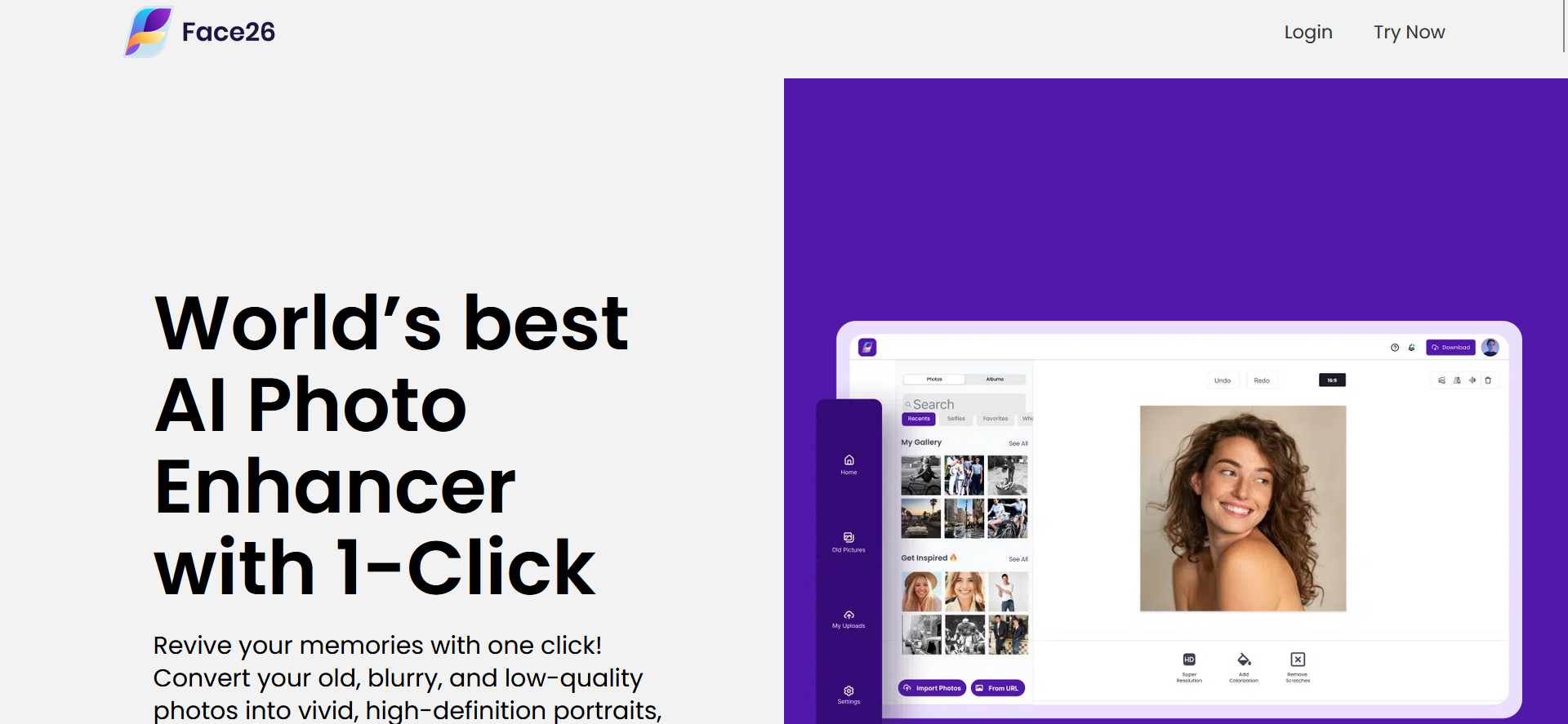
Strengths
- Ease of Use: Intuitive interface makes photo enhancement accessible to users of all skill levels.
- Versatility: Offers a comprehensive suite of tools for various photo editing needs.
- Quality Results: Delivers high-definition photos without compromising on quality.
- Privacy-Focused: Ensures user data and images are encrypted for privacy.
Limitations
- Learning Curve: New users may need time to familiarize themselves with the full range of tools.
- Cost: While offering exceptional features, the pricing may be a consideration for some users.
- Internet Dependency: Requires an internet connection to access and use the web-based application.
What You Get
Key Features
- AI Photo Enhancer: Automatically enhances photo resolution, sharpens details, and adjusts color with a single click.
- Unblur Images: Turns blurry photos into stunning HD with precision and ease.
- Colorize Photos: Breathes life into old, grey, black and white photos by adding vibrant colors.
- Photo Restoration: Utilizes advanced AI tools to restore and repair old photos.
- AI Upscale: Enhances small, low-definition pictures to HD quality without any loss in detail.
- Animate Photos: Brings portraits to life by animating faces with a range of emotional templates.
- AI Face Retouch: Improves facial features in photos by retouching and fixing blurry or pixelated faces.
- AI Denoiser: Removes noise and grain from images, providing a cleaner, crisper finish.
- ProsEase of Use: Intuitive interface makes photo enhancement accessible to users of all skill levels.Versatility: Offers a comprehensive suite of tools for various photo editing needs.Quality Results: Delivers high-definition photos without compromising on quality.Privacy-Focused: Ensures user data and images are encrypted for privacy.ConsLearning Curve: New users may need time to familiarize themselves with the full range of tools.Cost: While offering exceptional features, the pricing may be a consideration for some users.Internet Dependency: Requires an internet connection to access and use the web-based application.
Best For
- Face26 caters to a wide demographic, from professional photographers looking to quickly enhance their shots to individuals wanting to restore cherished family photos. Apart from these obvious users, the tool also finds application in:
- Content Creators: For creating visually appealing content with enhanced images.
- Graphic Designers: To refine and retouch images within their design projects.
- Historians and Archivists: Employing the tool to restore and preserve historical photographs.
- Social Media Enthusiasts: For personalizing and enhancing images before sharing them online.
- Uncommon Use Cases: Real estate agents using it to enhance property photos; educators incorporating enhanced images in teaching materials.
Integrations
While Face26 operates primarily as a web-based application, ensuring broad compatibility across devices, specific details regarding integration with other platforms or software were not provided. However, its accessibility via both desktop and smartphone browsers makes it a versatile tool for on-the-go photo editing.
Similar Tools
Weekly Issue
⚡
Image Editing tools · weekly digest
The AI Weekly — free in your inbox
New AI tools, pricing changes, expert picks, and hidden gems — curated by Mr. Spark every week. Join 5,000+ readers who stay ahead of the AI curve.
No spam, ever
Unsubscribe anytime
100% free