
Pricing Details
Free Access: Pixelicious can be accessed for free, which is great for those wanting to test its capabilities. Subscription Plans: While the basic usage is free, there may be premium features available for a subscription fee. Disclaimer: Please note that the pricing information is based on the current offerings on the Pixelicious website. For the most accurate and current pricing details, refer to the official Pixelicious website.
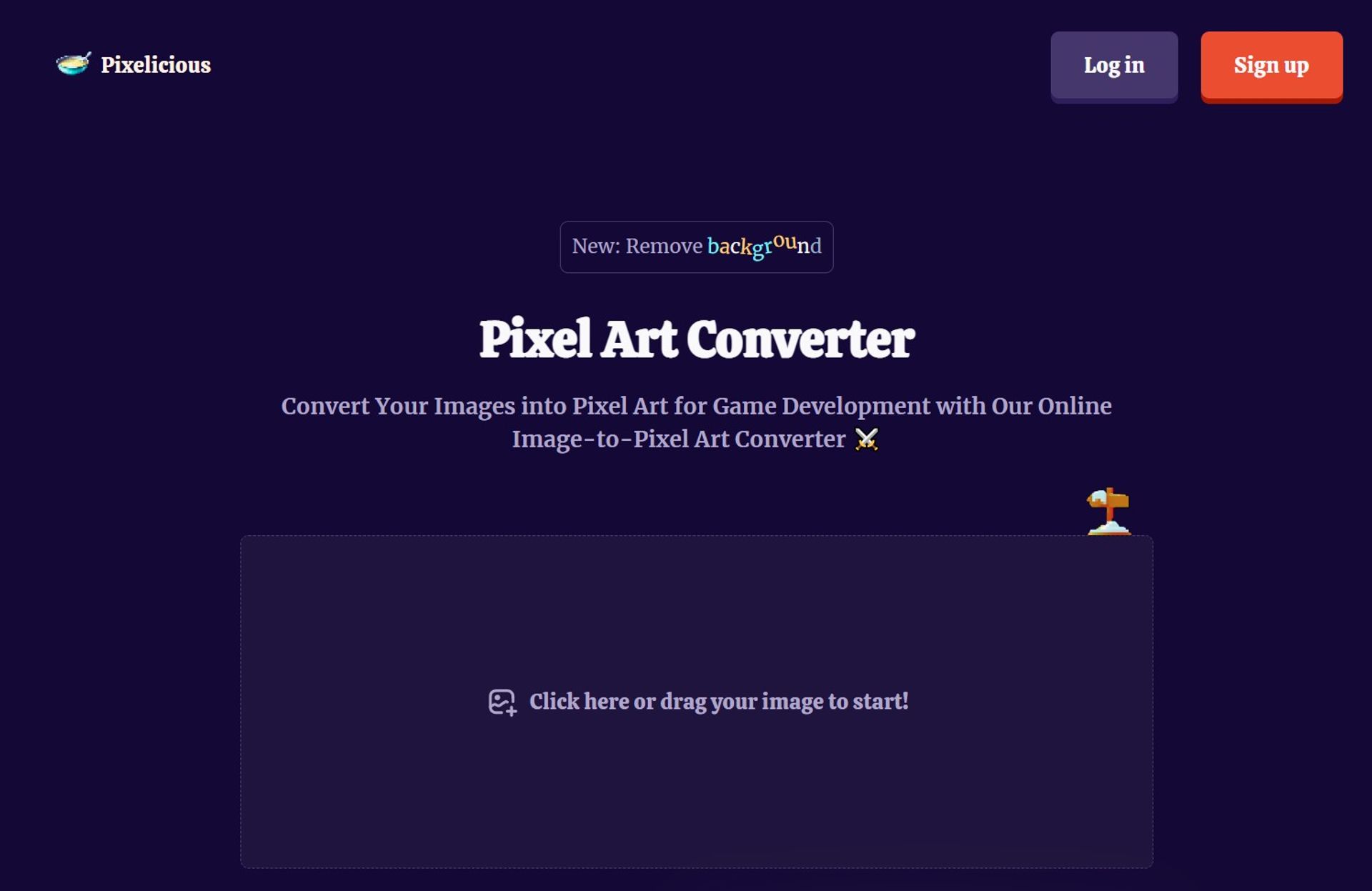
Product Visuals (1 images)
Strengths
- Time-Saving: Dramatically reduces the time required to create pixel art from existing images, allowing artists to focus on other creative aspects of their projects.
- Cost-Effective: Eliminates the need for expensive software or the outsourcing of pixel art creation, providing a cost-efficient solution.
- Simplicity: The straightforward drag-and-drop functionality makes it accessible even to those with minimal technical skills.
- Quality Results: Delivers high-quality pixel art that maintains the essence of the original image while embracing the pixelated style.
Limitations
- Feature Limitations: As a specialized tool, it may not offer the extensive editing features found in full-fledged graphic design software.
- Online Dependency: Requires an internet connection to access and use the tool, which might be a limitation for users in areas with poor connectivity.
- Format Support: There may be restrictions on the types of image formats that can be uploaded and converted.
Building your AI toolkit?
Save Pixelicious and 1,000+ tools — free with Google, no spam
What You Get
Key Features
- Pixel Art Conversion: Transforms high-resolution images into pixel art with a few simple clicks, catering to the needs of game developers and digital artists.
- Background Removal: Offers the capability to remove backgrounds from images, which is especially useful for integrating characters and objects into game scenes seamlessly.
- User-Friendly Interface: Boasts an intuitive design that allows users to start converting images quickly without a steep learning curve.
- Online Accessibility: Being a web-based tool, it provides the convenience of converting images into pixel art from anywhere, without the need for software installation.
- ProsTime-Saving: Dramatically reduces the time required to create pixel art from existing images, allowing artists to focus on other creative aspects of their projects.Cost-Effective: Eliminates the need for expensive software or the outsourcing of pixel art creation, providing a cost-efficient solution.Simplicity: The straightforward drag-and-drop functionality makes it accessible even to those with minimal technical skills.Quality Results: Delivers high-quality pixel art that maintains the essence of the original image while embracing the pixelated style.ConsFeature Limitations: As a specialized tool, it may not offer the extensive editing features found in full-fledged graphic design software.Online Dependency: Requires an internet connection to access and use the tool, which might be a limitation for users in areas with poor connectivity.Format Support: There may be restrictions on the types of image formats that can be uploaded and converted.
Best For
- Game Developers: Utilizing the tool to quickly create assets for retro-styled video games.
- Digital Artists: Employing the tool to infuse a pixel art style into their artwork for various projects.
- Indie Creators: Leveraging the tool to develop visuals for mobile apps and indie games on a budget.
- Educational Institutions: Using Pixelicious to teach students about the principles of pixel art and game design.
- Uncommon Use Cases: It has found use in web design for creating unique, pixelated graphics; Additionally, hobbyists enjoy using it to create personalized pixel art for DIY projects.
Integrations
Browser-Based Platform: Pixelicious operates within web browsers, eliminating compatibility issues across different operating systems. File Export: Allows for easy export of converted pixel art for use in various game development and graphic design platforms. Drag-and-Drop Interface: Simplifies the image uploading process, making it compatible with a wide range of file management systems. Scenario Integration: Pixelicious has recently joined forces with Scenario, potentially offering additional features and enhanced functionality.
Similar Tools
Weekly Issue
⚡
Image Editing tools · weekly digest
The AI Weekly — free in your inbox
New AI tools, pricing changes, expert picks, and hidden gems — curated by Mr. Spark every week. Join 5,000+ readers who stay ahead of the AI curve.
No spam, ever
Unsubscribe anytime
100% free