
Pricing Details
Free Trial: Access some features of InteriorAI without immediate commitment. Subscription Plans: Various tiers offer increased functionality and render limits. Disclaimer: For the most accurate and current pricing details, please refer to the official InteriorAI website.
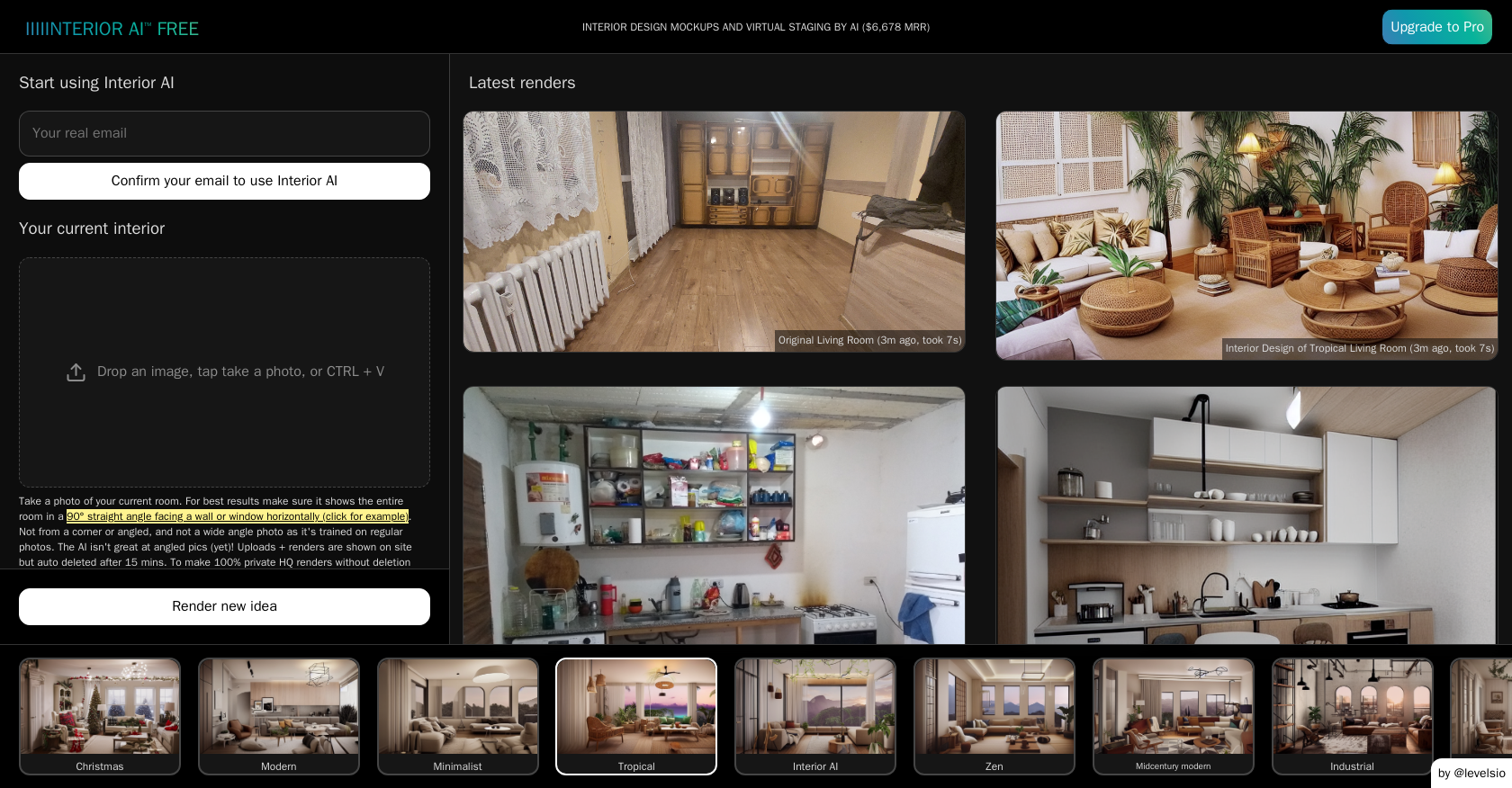
Product Visuals (1 images)
Strengths
- Speed and Convenience: Delivers design renderings in seconds, accessible from laptops or phones.
- Cost-Effective Solution: Reduces reliance on expensive interior designers.
- Real Estate Advantage: Enhances property listings with virtual staging, potentially leading to faster sales at higher prices.
- User-Friendly Interface: Simplifies the design process with easy-to-navigate options and direct style selections.
Limitations
- Potential for AI Artifacts: Some renders may display imperfections or unrealistic elements.
- Learning Curve: New users may require time to familiarize themselves with the tool's capabilities and output nuances.
- Limited Physical Interaction: Lacks hands-on guidance and personal touch typical of traditional interior design services.
Building your AI toolkit?
Save InteriorAI and 1,000+ tools — free with Google, no spam
What You Get
Key Features
- AI-Driven Design Transformation: Instantly redesign interiors by converting photos or sketches into photorealistic visuals.
- Diverse Style Selection: Offers a wide array of interior styles, from Modern and Minimalist to Scandinavian and Contemporary.
- Virtual Staging Capabilities: Furnishes empty rooms virtually, particularly useful for real estate staging.
- 3D Flythrough Video Generation: Converts static renders into immersive 3D flythrough videos for dynamic presentations.
- SketchUp Integration: Transforms basic SketchUp wireframes or 3D renders into high-resolution, photorealistic images.
- ProsSpeed and Convenience: Delivers design renderings in seconds, accessible from laptops or phones.Cost-Effective Solution: Reduces reliance on expensive interior designers.Real Estate Advantage: Enhances property listings with virtual staging, potentially leading to faster sales at higher prices.User-Friendly Interface: Simplifies the design process with easy-to-navigate options and direct style selections.ConsPotential for AI Artifacts: Some renders may display imperfections or unrealistic elements.Learning Curve: New users may require time to familiarize themselves with the tool's capabilities and output nuances.Limited Physical Interaction: Lacks hands-on guidance and personal touch typical of traditional interior design services.
Best For
- Homeowners: Redesigning living spaces without extensive remodeling.
- Real Estate Agents: Enhancing property listings with virtual staging.
- Interior Designers: Incorporating AI-assisted visualizations into their design process.
- Architects: Quickly visualizing space transformations for client presentations.
- Uncommon Use Cases: Event planners conceptualizing event spaces; DIY enthusiasts experimenting with home renovation ideas.
Integrations
Photo Uploads: Accepts various image formats including JPG, PNG, and WebP. Device Compatibility: Accessible from laptops and mobile devices. SketchUp Compatibility: Integrates seamlessly for enhanced design renderings. Design Style Variety: Supports over 50 interior design styles for comprehensive customization.
Similar Tools

Weekly Issue
⚡
Image Editing tools · weekly digest
The AI Weekly — free in your inbox
New AI tools, pricing changes, expert picks, and hidden gems — curated by Mr. Spark every week. Join 5,000+ readers who stay ahead of the AI curve.
No spam, ever
Unsubscribe anytime
100% free