
Pricing Details
Free Tier: Provides access to basic colorization and cleanup services for free. Subscription Plans: Offers various subscription plans tailored to usage frequency and required features. Disclaimer: For the most current and detailed pricing information, please visit the official ImageColorizer website.
Product Visuals (1 images)
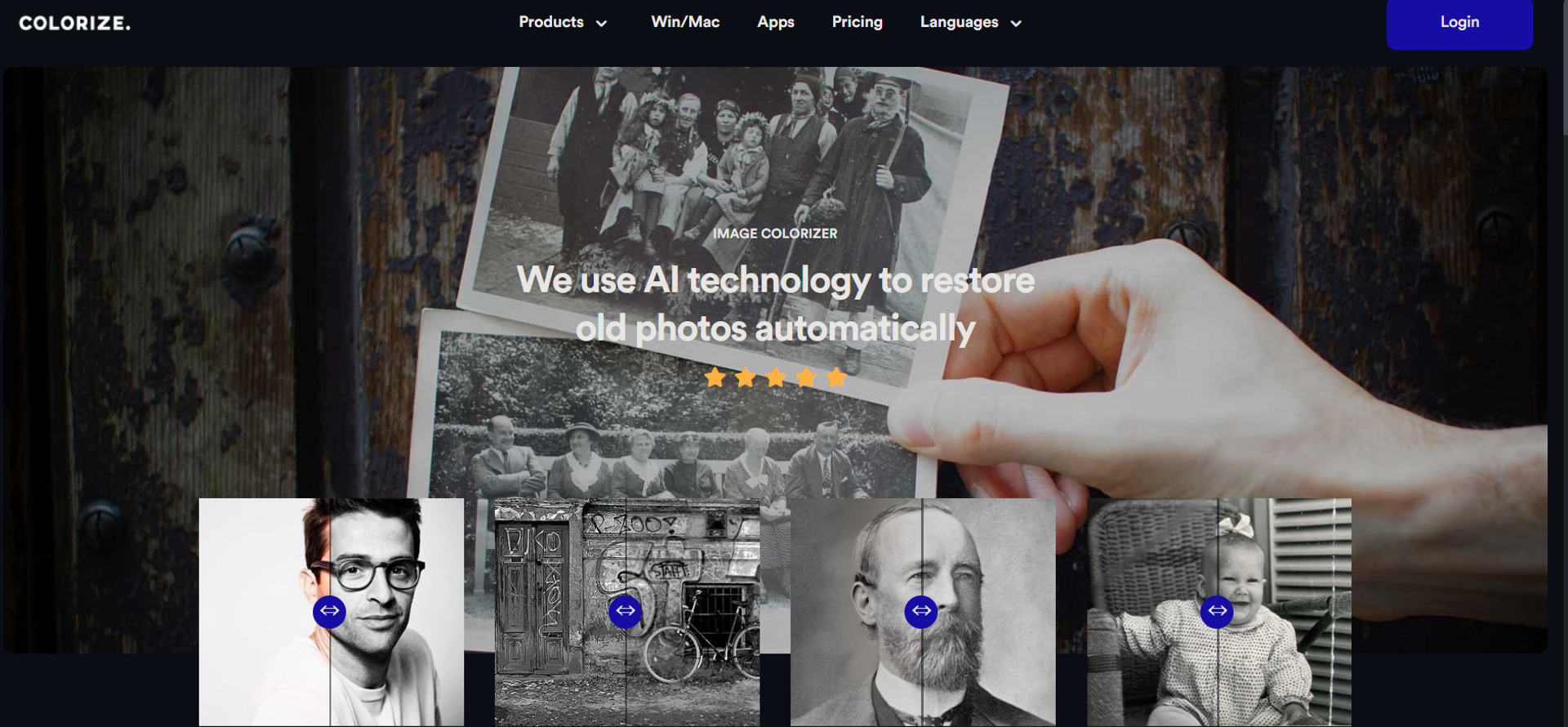
Strengths
- Ease of Use: Intuitive interface makes it accessible for users of all skill levels to colorize and restore photos effortlessly.
- Batch Processing: Convenient for users dealing with multiple images, saving valuable time.
- Quality of Results: Produces high-quality colorization and restoration comparable to manual editing.
- Free Options: Offers free basic colorization and cleanup services, making it accessible for casual users.
Limitations
- Enhancement Limitations: Some users have reported that the enhancement feature may require further refinement.
- Dependency on AI Accuracy: The AI's interpretation of colors and details may not always align with historical accuracy or personal expectations.
- Internet Requirement: Being cloud-based, it necessitates a stable internet connection for all functionalities.
Building your AI toolkit?
Save Imagecolorizer and 1,000+ tools — free with Google, no spam
What You Get
Key Features
- AI-Powered Colorization: Utilizes cutting-edge AI to add natural-looking colors to black and white photos.
- Photo Restoration: Enhances old photos by refining details and upscaling faces, resulting in clearer and more refined images.
- Image Enhancement: Fixes blurry and low-quality images, sharpening them to high definition.
- Portrait Retouching: Identifies faces in photos using neural networks and retouches them while preserving original details.
- Damage Repair: Allows one-click repair of scratched or damaged pictures, eliminating the need for Photoshop skills.
- Photo Cleanup: Features magic eraser technology to remove unwanted objects and clean up photos.
- ProsEase of Use: Intuitive interface makes it accessible for users of all skill levels to colorize and restore photos effortlessly.Batch Processing: Convenient for users dealing with multiple images, saving valuable time.Quality of Results: Produces high-quality colorization and restoration comparable to manual editing.Free Options: Offers free basic colorization and cleanup services, making it accessible for casual users.ConsEnhancement Limitations: Some users have reported that the enhancement feature may require further refinement.Dependency on AI Accuracy: The AI's interpretation of colors and details may not always align with historical accuracy or personal expectations.Internet Requirement: Being cloud-based, it necessitates a stable internet connection for all functionalities.
Best For
- Historians and Researchers: Visualize historical black and white imagery in color for research purposes.
- Genealogy Enthusiasts: Restore old family photographs to enrich their family history research.
- Artists and Illustrators: Add color to vintage illustrations to create unique artwork.
- Educational Institutions: Engage students in history lessons by colorizing historical photos.
- Uncommon Use Cases: Revitalize historical property photos for real estate purposes; Enhance imagery in publications for authors.
Integrations
Cloud-Based: Accessible from any device with an internet connection, ensuring flexibility in usage. Win/Mac App Support: Provides dedicated applications for Windows and Mac users for a more integrated experience. Discord Community: Offers a Discord community for users to discuss tips, tricks, and receive support.
Similar Tools
Weekly Issue
⚡
Image Editing tools · weekly digest
The AI Weekly — free in your inbox
New AI tools, pricing changes, expert picks, and hidden gems — curated by Mr. Spark every week. Join 5,000+ readers who stay ahead of the AI curve.
No spam, ever
Unsubscribe anytime
100% free