
Pricing Details
Free: $0 per month. Includes unlimited slides, GPU-accelerated editor, and basic creation and export features. Starter: $9.99 per month per user. Adds 20 GPT-5 mini messages, 20 GPT-5 nano messages, and 3 GPT-5 messages. Pro: $19.99 per month per user. Expands to 40 GPT-5 mini messages, 40 GPT-5 nano messages, and 10 GPT-5 messages, with everything from Starter included. Disclaimer: Please note that pricing information may not be up to date. For the most accurate and current pricing details, refer to the official Ghost website.
Product Visuals (1 images)
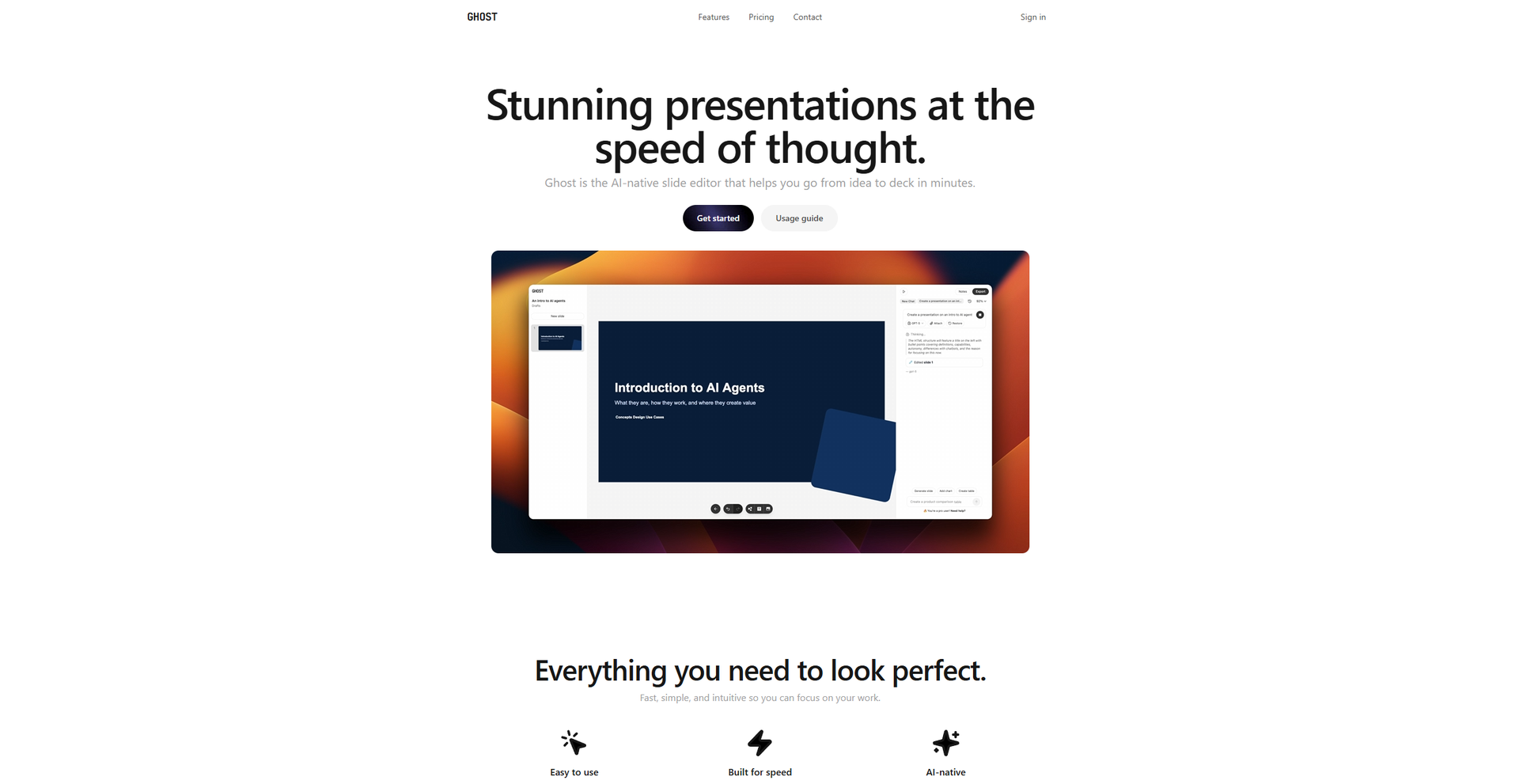
Strengths
- Time Efficiency: Significantly reduces the time needed to create high-quality presentations.
- User-Friendly: The intuitive interface is accessible to users of all skill levels.
- Professional Results: Produces presentations that look like they were crafted by a professional designer.
- Collaboration Features: Facilitates teamwork and collective input, crucial for team projects.
Limitations
- Learning Curve: Some users may require time to fully utilize advanced features.
- Limited Customization: While templates are plentiful, customization options may be restricted for those looking for highly unique designs.
What You Get
Key Features
- AI-Driven Design Suggestions: Ghost uses AI to offer intelligent design recommendations, ensuring each slide looks professional and polished.
- Template Variety: Access a vast library of templates tailored for different industries and presentation types.
- Real-Time Collaboration: Collaborate with team members in real-time, making it easy to gather feedback and make edits on the fly.
- Multimedia Integration: Easily incorporate images, videos, and other multimedia elements to enhance your presentation's impact.
- ProsTime Efficiency: Significantly reduces the time needed to create high-quality presentations.User-Friendly: The intuitive interface is accessible to users of all skill levels.Professional Results: Produces presentations that look like they were crafted by a professional designer.Collaboration Features: Facilitates teamwork and collective input, crucial for team projects.ConsLearning Curve: Some users may require time to fully utilize advanced features.Limited Customization: While templates are plentiful, customization options may be restricted for those looking for highly unique designs.
Best For
- Corporate Professionals: Utilize Ghost for crafting compelling business presentations.
- Educators: Employ the tool to create engaging educational materials and lectures.
- Freelancers: Use Ghost to present proposals and portfolios to clients.
- Creative Agencies: Leverage the tool for developing client pitches and project showcases.
- Uncommon Use Cases: Adopted by NGOs for impactful fundraising presentations; Used by tech startups to streamline investor pitch decks.
Similar Tools
Weekly Issue
⚡
Presentations tools · weekly digest
The AI Weekly — free in your inbox
New AI tools, pricing changes, expert picks, and hidden gems — curated by Mr. Spark every week. Join 5,000+ readers who stay ahead of the AI curve.
No spam, ever
Unsubscribe anytime
100% free