
Pricing Details
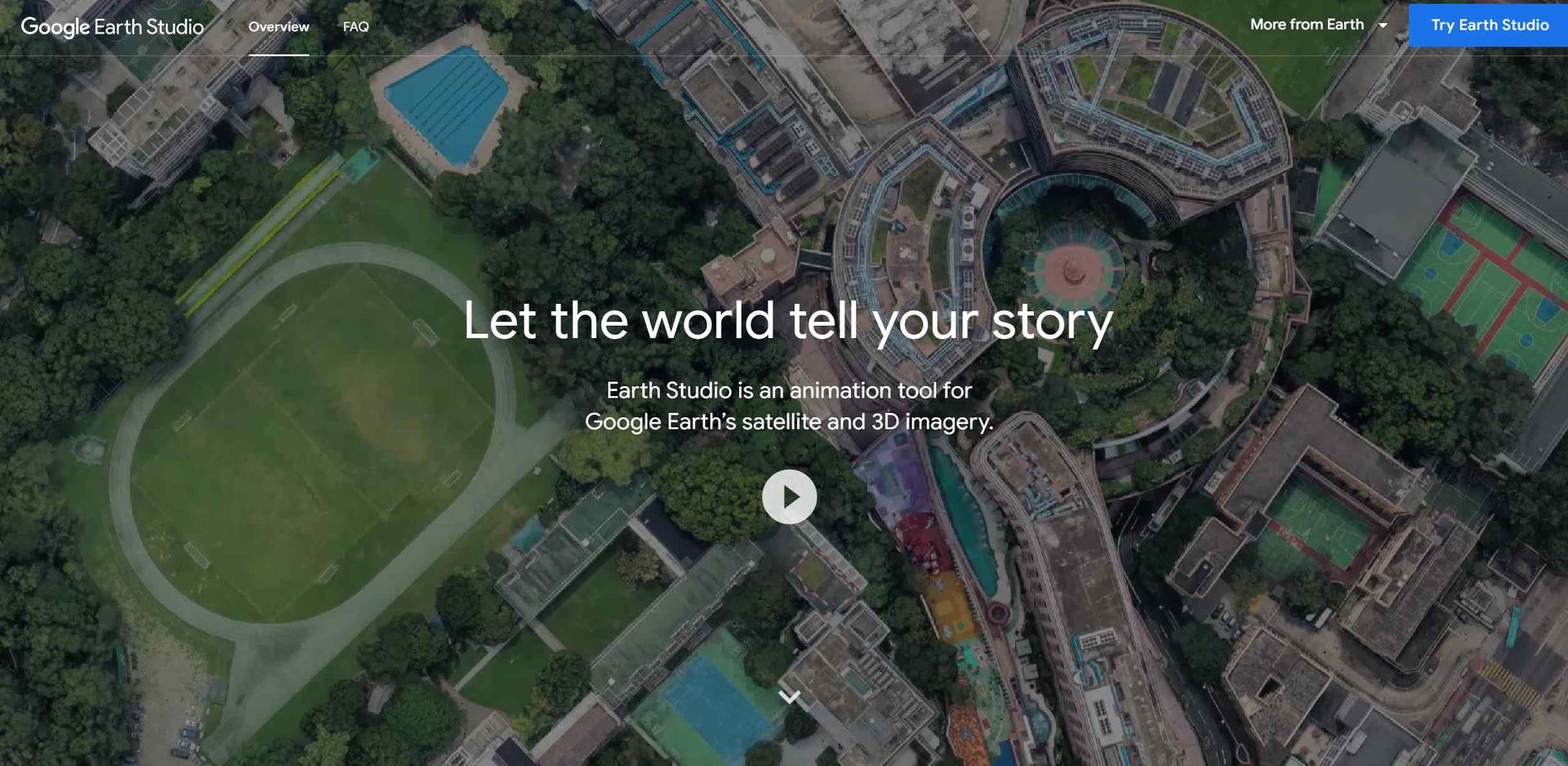
Free Access: Google Earth Studio is available for free, but access must be requested via a Google account. Disclaimer: For the most accurate and current details on accessing Google Earth Studio, please refer to the official website.
Product Visuals (1 images)
Strengths
- Immersive Storytelling: Provides a unique platform for creating compelling narratives with a geographic element.
- Ease of Use: Intuitive interface and templates make it accessible for beginners and professionals alike.
- High-Quality Imagery: Leverages Google Earth's high-resolution satellite and 3D imagery for stunning visuals.
- Free to Use: Available at no cost, making it accessible for educators and content creators on a budget.
Limitations
- Browser Limitations: Works only with the desktop version of Google Chrome, limiting accessibility for users of other browsers.
- Learning Curve: While user-friendly, mastering all features may take some time.
- Export Options: Limited to Adobe After Effects for camera export, which may not suit all users' workflows.
Building your AI toolkit?
Save Google Earth Studio and 1,000+ tools — free with Google, no spam
What You Get
Key Features
- Keyframe Animation: Utilizes keyframes to animate camera movements and the globe itself, similar to industry-standard animation software.
- Quick-Start Templates: Offers up to five templates for quick creation of animations such as orbits or point-to-point flights, suitable for users without prior animation experience.
- Animatable Effects: Allows users to animate attributes like the sun's position and the camera's field of view, adding depth and realism to scenes.
- 3D Camera Export: Supports camera export to Adobe After Effects for post-production enhancements such as adding map labels and pins.
- ProsImmersive Storytelling: Provides a unique platform for creating compelling narratives with a geographic element.Ease of Use: Intuitive interface and templates make it accessible for beginners and professionals alike.High-Quality Imagery: Leverages Google Earth's high-resolution satellite and 3D imagery for stunning visuals.Free to Use: Available at no cost, making it accessible for educators and content creators on a budget.ConsBrowser Limitations: Works only with the desktop version of Google Chrome, limiting accessibility for users of other browsers.Learning Curve: While user-friendly, mastering all features may take some time.Export Options: Limited to Adobe After Effects for camera export, which may not suit all users' workflows.
Best For
- Filmmakers and Animators: For creating dynamic backdrops and establishing shots in films and animations.
- Broadcast Media: Used to enhance news stories with visual context and geographical imagery.
- Educators: Employed as a teaching tool to make geography and history lessons more engaging and interactive.
- Marketing Professionals: Utilized to craft compelling visual narratives in promotional materials and advertisements.
- Uncommon Use Cases: Urban planners use it for visualizing city development projects, while environmentalists employ it to illustrate the impact of climate change.
Integrations
Google Chrome Compatibility: Designed to work with the desktop version of Google Chrome. Adobe After Effects Integration: Smooth workflow with Adobe After Effects for detailed post-production work. Google Account Integration: Requires a Google account for access, ensuring seamless integration with other Google services. Data Export: Ability to export project data for use in various post-production environments.
Similar Tools
Weekly Issue
⚡
Video Generators tools · weekly digest
The AI Weekly — free in your inbox
New AI tools, pricing changes, expert picks, and hidden gems — curated by Mr. Spark every week. Join 5,000+ readers who stay ahead of the AI curve.
No spam, ever
Unsubscribe anytime
100% free