
Pricing Details
Free Tier: Offers most features for free with limited file availability. Lifetime Access: Provides a one-time payment option for lifetime access priced at $99. Subscription Plans: Offers monthly and yearly subscription plans with a 40% saving on the yearly option. Disclaimer: Pricing information may not be up-to-date. For the most accurate and current details, please visit the Image Candy website.
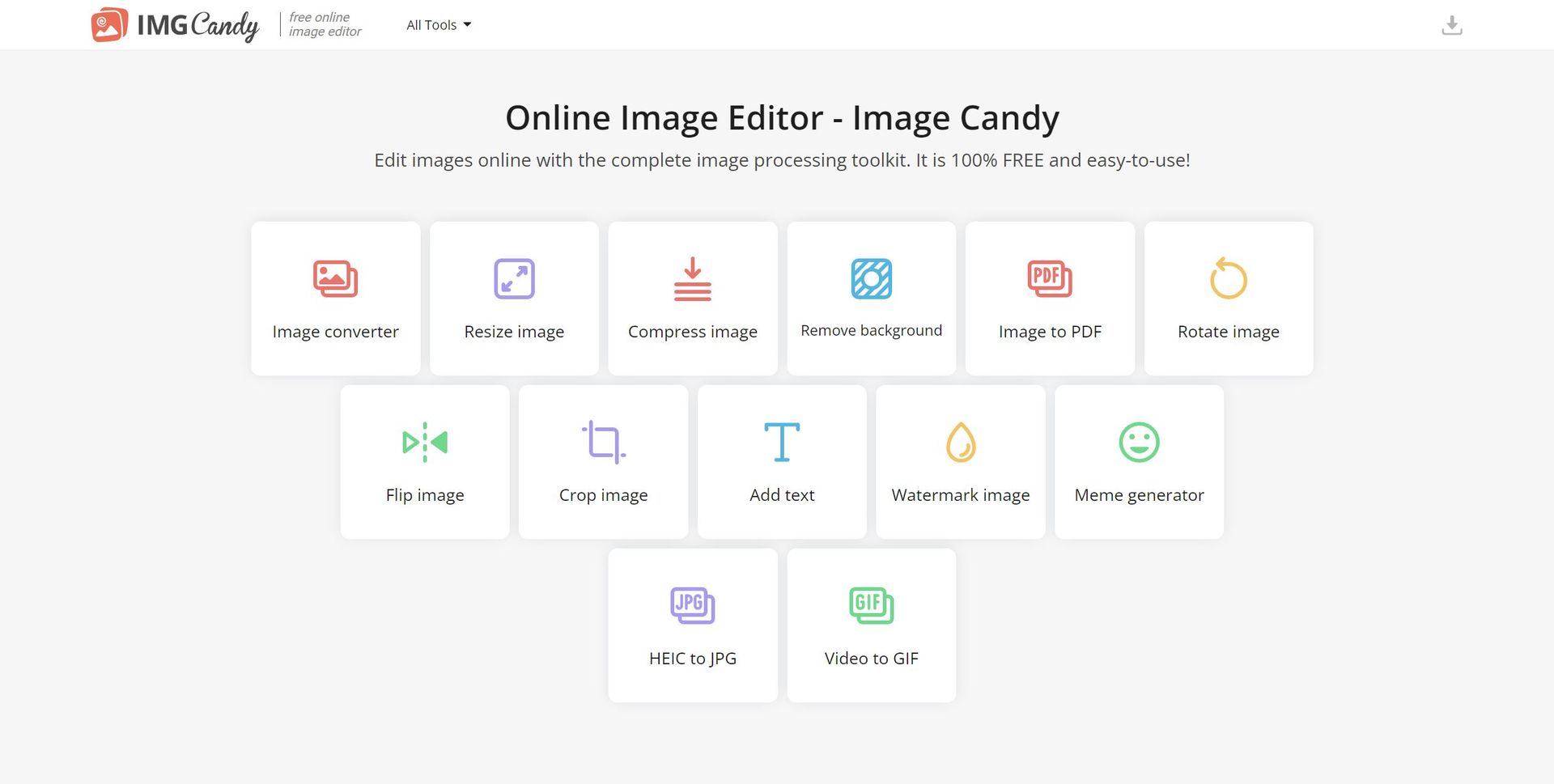
Product Visuals (1 images)
Strengths
- Accessibility: Accessible from any device with an internet connection due to its online nature.
- User-Friendly Interface: Boasts a straightforward and intuitive design that simplifies the editing process for users.
- Versatility: Offers a wide array of tools to meet various image editing needs in one platform.
- Cost-Efficiency: Provides a free online image editor with a range of capabilities without any upfront cost.
Limitations
- Internet Dependency: Relies on a stable internet connection to function, which could be limiting in areas with poor connectivity.
- File Availability: Edited files are accessible for a limited time (as stated, 120 minutes), necessitating prompt downloading to avoid loss of work.
- Advanced Editing Limitations: May lack the depth of features required by professionals accustomed to more sophisticated software.
Building your AI toolkit?
Save Image Candy and 1,000+ tools — free with Google, no spam
What You Get
Key Features
- Image Conversion: Supports the conversion of images into different formats, including HEIC to JPG.
- Image Resizing: Provides tools to adjust image dimensions according to specific requirements.
- Background Removal: Offers a feature to eliminate backgrounds from images, particularly useful for creating product photos or profile pictures.
- Comprehensive Editing: Includes options for rotating, flipping, cropping, adding text, watermarking, and generating memes with images.
- Video to GIF: Allows users to convert video clips into GIFs, expanding the range of content creation possibilities.
- PDF Tools: Facilitates the conversion of images to PDF format, streamlining document creation and sharing.
- ProsAccessibility: Accessible from any device with an internet connection due to its online nature.User-Friendly Interface: Boasts a straightforward and intuitive design that simplifies the editing process for users.Versatility: Offers a wide array of tools to meet various image editing needs in one platform.Cost-Efficiency: Provides a free online image editor with a range of capabilities without any upfront cost.ConsInternet Dependency: Relies on a stable internet connection to function, which could be limiting in areas with poor connectivity.File Availability: Edited files are accessible for a limited time (as stated, 120 minutes), necessitating prompt downloading to avoid loss of work.Advanced Editing Limitations: May lack the depth of features required by professionals accustomed to more sophisticated software.
Best For
- Bloggers and Content Creators: Using the tool for quick image edits and creating visual content for articles and posts.
- E-commerce Merchants: Employing features like background removal and image compression to optimize product images for online stores.
- Social Media Enthusiasts: Leveraging the meme generator and text addition tools for creating viral content.
- Small Business Owners: Utilizing the image to PDF feature for creating marketing materials and presentations.
- Uncommon Use Cases: Adopted by educators for preparing classroom materials and utilized by individuals for personal digital scrapbooking projects.
Integrations
Cross-Platform Accessibility: Works across different operating systems as it is browser-based. Cloud Services Integration: Potential integration with cloud storage services for easy access and storage of images. API Access: If available, an API would allow developers to integrate Image Candy's functionalities into their applications. Language Support: Offers support in multiple languages, enhancing usability for a global user base.
Similar Tools
Weekly Issue
⚡
Image Editing tools · weekly digest
The AI Weekly — free in your inbox
New AI tools, pricing changes, expert picks, and hidden gems — curated by Mr. Spark every week. Join 5,000+ readers who stay ahead of the AI curve.
No spam, ever
Unsubscribe anytime
100% free