
Pricing Details
Starter: $19 per month. Includes 2,500 credits (≈250 photos), 30-day photo history, unlimited AI characters, parallel generations, on-demand top-ups, and commercial rights. Basic: $39 per month. Offers 5,500 credits (≈550 photos), unlimited photo history, and all Starter features. Pro: $99 per month. Includes 14,000 credits (≈1,400 photos), unlimited photo history, and all features in Basic. Best for professionals. Pay as you go: $9 per 1,000 credits. No subscription, 1 character, 10-day photo history, unlimited generations, and commercial rights. Disclaimer: Please note that pricing information may not be up to date. For the most accurate and current pricing details, refer to the official PhotoFuse website.
Product Visuals (1 images)
Strengths
- User-Friendly Interface: The intuitive design ensures a seamless user experience, ideal for those without technical expertise.
- Versatile Customization: Offers extensive customization options for backgrounds, expressions, clothing, and accessories.
- Time-Saving: Generates high-quality images quickly, perfect for busy professionals.
- No Subscription Required: Offers flexible pricing plans, including pay-as-you-go options, without mandatory subscriptions.
Limitations
- Credit-Based System: Users must manage credits, which might be cumbersome for some.
- Limited Free Storage: The pay-as-you-go plan offers only 10 days of photo storage history.
Building your AI toolkit?
Save PhotoFuse and 1,000+ tools — free with Google, no spam
What You Get
Key Features
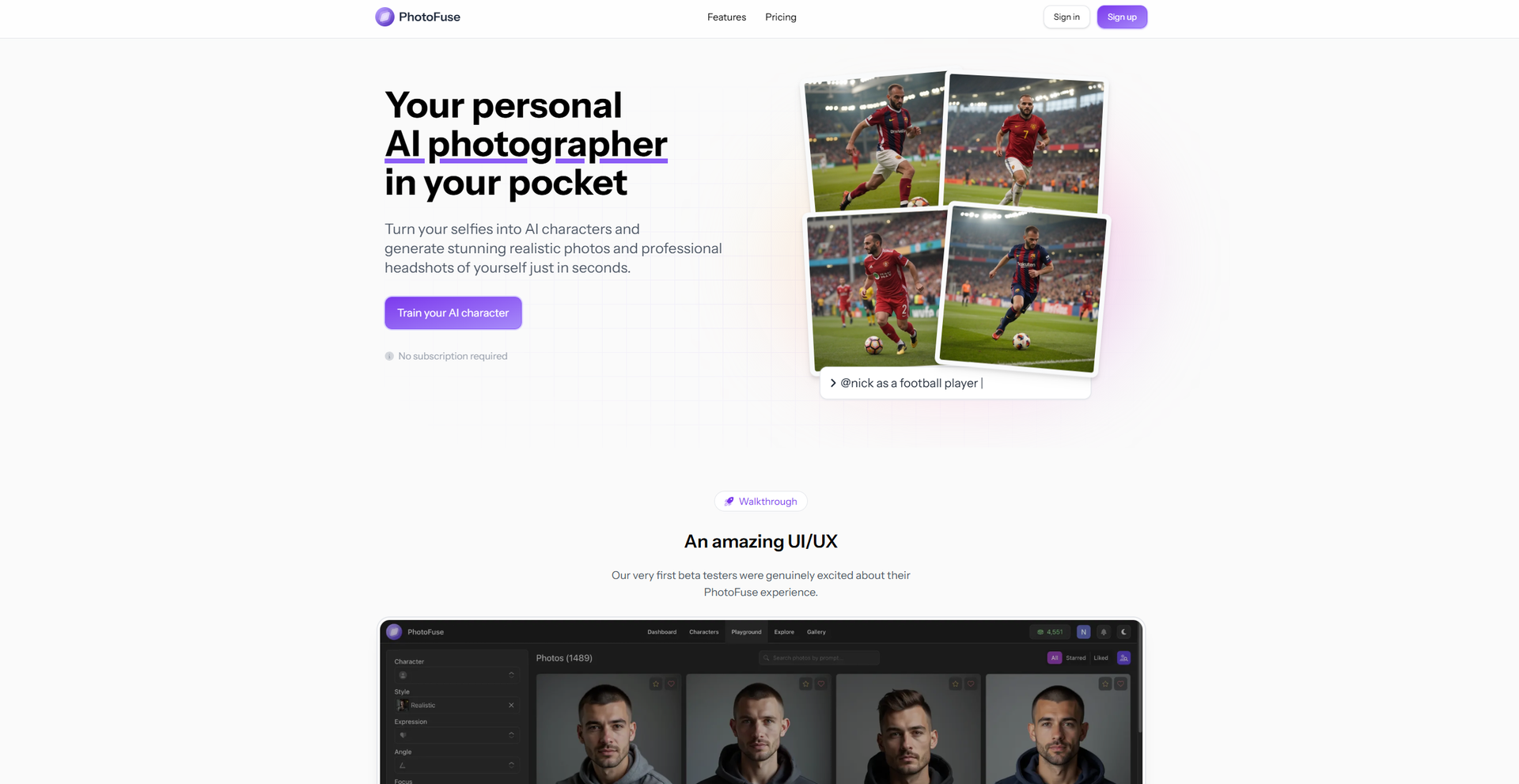
- AI Character Training: Upload 10-15 photos to train your AI character, with guidance provided for optimal results.
- Template Selection: Choose from a variety of pre-made templates or manually design your scene with an easy-to-use interface.
- Customizable Headshots: Craft headshots with customizable backgrounds, expressions, outfits, and accessories.
- Quick Generation: Create 1-4 image variations in seconds, with options to tweak and regenerate as desired.
- ProsUser-Friendly Interface: The intuitive design ensures a seamless user experience, ideal for those without technical expertise.Versatile Customization: Offers extensive customization options for backgrounds, expressions, clothing, and accessories.Time-Saving: Generates high-quality images quickly, perfect for busy professionals.No Subscription Required: Offers flexible pricing plans, including pay-as-you-go options, without mandatory subscriptions.ConsCredit-Based System: Users must manage credits, which might be cumbersome for some.Limited Free Storage: The pay-as-you-go plan offers only 10 days of photo storage history.
Best For
- Social Media Influencers: Creating unique and engaging content for their audience.
- Professional Photographers: Streamlining the process of generating creative visuals.
- HR Professionals: Developing professional headshots for corporate directories.
- Freelancers: Enhancing personal branding with customized headshots.
- Uncommon Use Cases: Artists using PhotoFuse for character design inspiration; Educators utilizing it to teach digital art concepts.
Similar Tools
Image Editing tools · weekly digest
The AI Weekly — free in your inbox
New AI tools, pricing changes, expert picks, and hidden gems — curated by Mr. Spark every week. Join 5,000+ readers who stay ahead of the AI curve.