
Pricing Details
Free Plan: $0 per month. Great for light users. Includes 5 daily credits, limited resource access, and basic cloud storage—no strings attached. Monthly Plan: $6.99 per month. Offers 1,000 credits monthly, full resource access, and unlimited cloud storage. Includes a 7-day free trial to explore everything. Yearly Plan: $4.58 per month (billed $54.99 yearly). Best value. Includes unlimited credits, full resource access, and unlimited cloud storage—plus a 7-day free trial. Disclaimer: Please note that pricing information may not be up to date. For the most accurate and current pricing details, refer to the official Pokecut website.
Product Visuals (1 images)
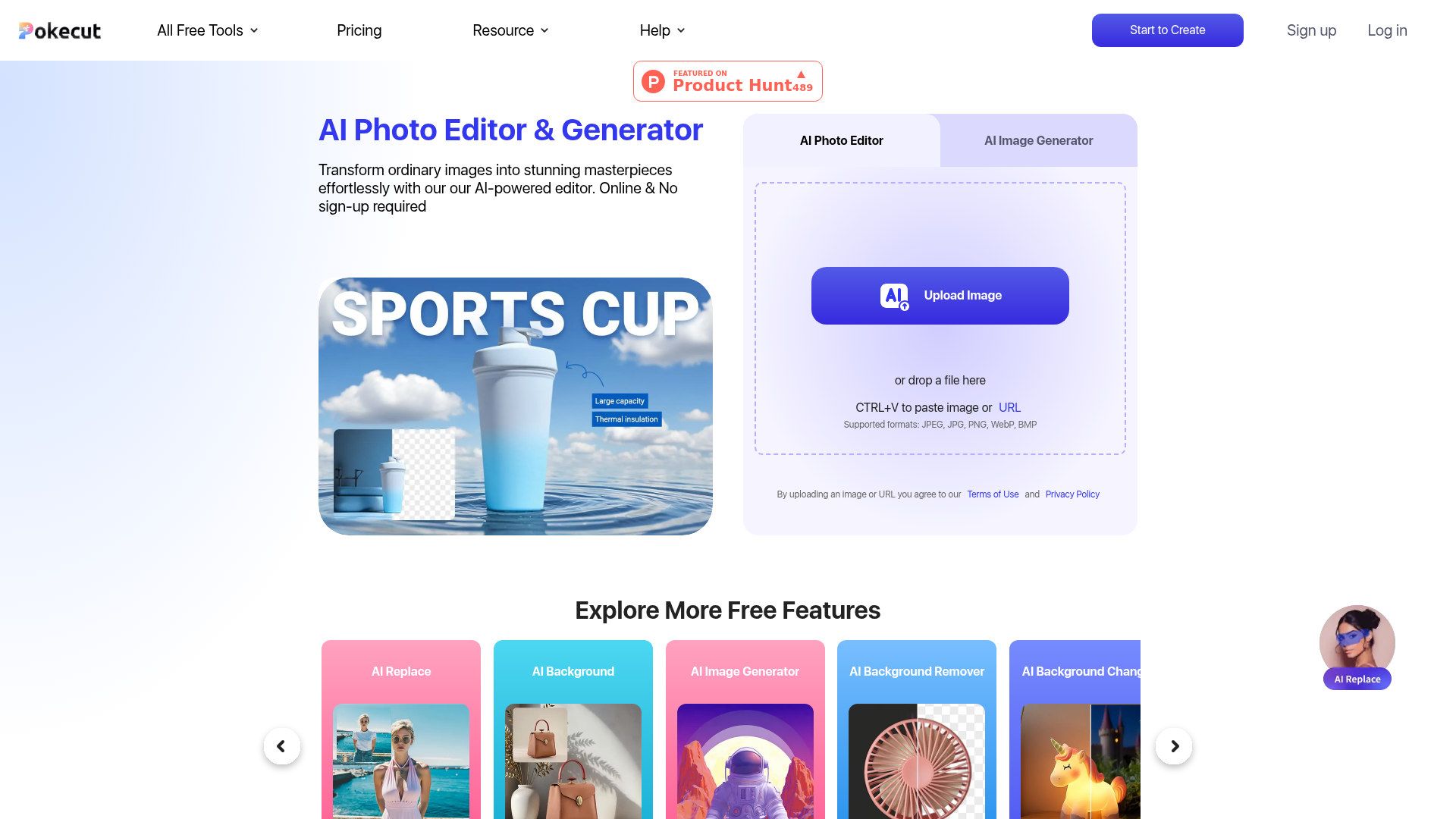
Strengths
- Free Access: Pokecut offers a suite of powerful tools at no cost, making it accessible to all users.
- No Sign-Up Required: Users can start editing immediately without the hassle of creating an account.
- Versatile Applications: Suitable for various needs, including product photography, social media content, and personal projects.
- User-Friendly Interface: Designed for ease of use, even for those with minimal technical skills.
Limitations
- Limited Advanced Features: Some professional-grade features might be missing for high-end editing tasks.
- Internet Dependency: As an online tool, a stable internet connection is necessary for optimal performance.
What You Get
Key Features
- AI Background Remover: Instantly removes and replaces backgrounds to create clean, professional images.
- AI Photo Enhancer: Elevates image quality to HD, ensuring crisp and detailed visuals.
- AI Image Generator: Generates unique images using advanced AI models like Stable Diffusion, perfect for creative and commercial use.
- Magic Eraser: Removes unwanted elements from photos with precision, enhancing the overall composition.
- ProsFree Access: Pokecut offers a suite of powerful tools at no cost, making it accessible to all users.No Sign-Up Required: Users can start editing immediately without the hassle of creating an account.Versatile Applications: Suitable for various needs, including product photography, social media content, and personal projects.User-Friendly Interface: Designed for ease of use, even for those with minimal technical skills.ConsLimited Advanced Features: Some professional-grade features might be missing for high-end editing tasks.Internet Dependency: As an online tool, a stable internet connection is necessary for optimal performance.
Best For
- E-commerce Businesses: Enhancing product photos for online listings.
- Digital Marketing Agencies: Creating visually appealing campaign assets.
- Social Media Influencers: Crafting engaging content for platforms like Instagram and Facebook.
- Freelance Photographers: Streamlining editing workflows for various projects.
- Uncommon Use Cases: Used by educators for visual teaching materials; adopted by event planners for creating promotional images.
Similar Tools
Image Editing tools · weekly digest
The AI Weekly — free in your inbox
New AI tools, pricing changes, expert picks, and hidden gems — curated by Mr. Spark every week. Join 5,000+ readers who stay ahead of the AI curve.