
Pricing Details
Standard: $7 per month (billed annually). Ideal for personal use—create and share dynamic presentations, videos, and infographics with privacy controls and unlimited projects. Plus: $19 per month (billed annually). Designed for expert communicators. Includes unlimited Prezi AI, PowerPoint imports, PDF export, premium images, desktop access, and more. Premium: $29 per month (billed annually). Best for business professionals—adds analytics, advanced training, and full Plus features. Disclaimer: Please note that pricing information may not be up to date. For the most accurate and current pricing details, refer to the official Prezi website.
Product Visuals (1 images)
Strengths
- User-Friendly Interface: The intuitive design makes it accessible for users of all skill levels, reducing the time needed to create presentations.
- Enhanced Engagement: Non-linear presentation style keeps the audience engaged, perfect for holding attention during complex topics.
- Versatile Usage: Suitable for various purposes, from educational presentations to business pitches, offering flexibility in application.
- Security and Privacy: SOC2 compliance ensures that your data is secure, with privacy controls to manage who can view and edit presentations.
Limitations
- Learning Curve for New Users: While intuitive, new users may initially find the non-linear format challenging compared to traditional slides.
- Limited Third-Party Integrations: Currently, it offers limited integration with other software platforms.
- Occasional Performance Issues: Users may experience occasional lag, particularly with large or highly detailed presentations.
What You Get
Key Features
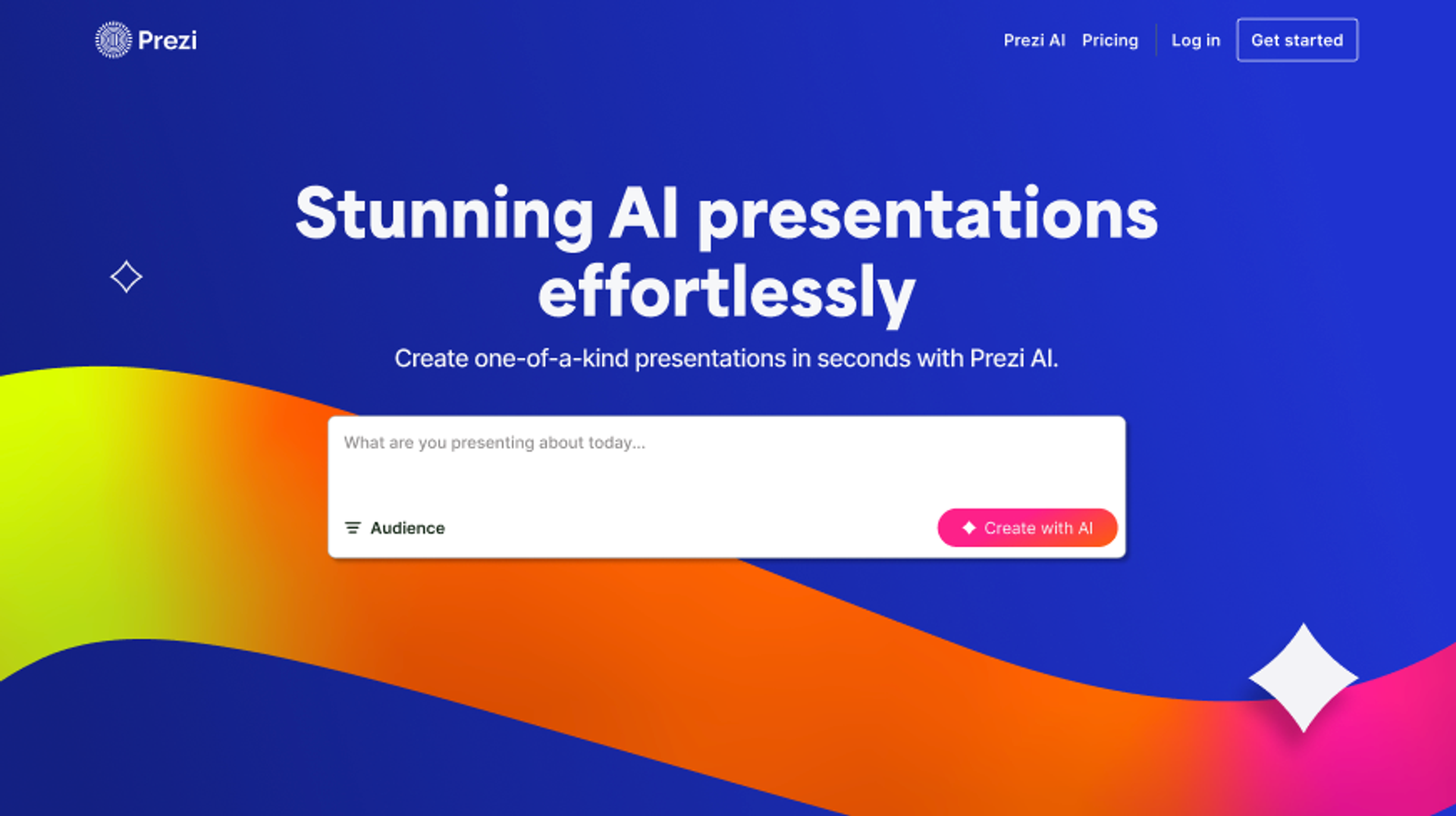
- AI-Powered Design: Prezi AI assists in writing, designing, and illustrating presentations, making it easier to create engaging content without the need for templates.
- Dynamic Visuals: Offers over 1 million images, GIFs, and stickers to enhance the visual appeal of presentations.
- Interactive Elements: Allows for seamless integration of charts, tables, and other data visualization tools to bring your data to life.
- Real-Time Collaboration: Features like commenting and brand kits enable teams to work together effectively and maintain brand consistency.
- ProsUser-Friendly Interface: The intuitive design makes it accessible for users of all skill levels, reducing the time needed to create presentations.Enhanced Engagement: Non-linear presentation style keeps the audience engaged, perfect for holding attention during complex topics.Versatile Usage: Suitable for various purposes, from educational presentations to business pitches, offering flexibility in application.Security and Privacy: SOC2 compliance ensures that your data is secure, with privacy controls to manage who can view and edit presentations.ConsLearning Curve for New Users: While intuitive, new users may initially find the non-linear format challenging compared to traditional slides.Limited Third-Party Integrations: Currently, it offers limited integration with other software platforms.Occasional Performance Issues: Users may experience occasional lag, particularly with large or highly detailed presentations.
Best For
- Educators: Leveraging Prezi for creating interactive lessons that engage students and simplify complex concepts.
- Corporate Trainers: Using the tool to design training modules that are both informative and visually stimulating.
- Sales Professionals: Crafting impactful sales pitches that capture client interest and drive engagement.
- Event Planners: Utilizing Prezi to present event plans and proposals in an appealing format.
- Uncommon Use Cases: Employed by therapists to illustrate therapy sessions; Used by non-profits for visually compelling fundraising presentations.
Similar Tools
Presentations tools · weekly digest
The AI Weekly — free in your inbox
New AI tools, pricing changes, expert picks, and hidden gems — curated by Mr. Spark every week. Join 5,000+ readers who stay ahead of the AI curve.