
Pricing Details
Single-Cam: 100% free, no trials or hidden payments. Dual-Cam: Starts with a 14-day free trial, $240/year thereafter. Disclaimer: For the latest pricing details, please visit the Rokoko Video website.
Product Visuals (1 images)
Strengths
- Cost-Effective: Provides a high-quality mocap solution at a fraction of the cost of traditional systems.
- Ease of Use: Simplifies the mocap process, making it accessible to creators of all skill levels.
- Versatility: Supports a wide range of applications, from pre-visualization to final animation in various industries.
- Community Support: Backed by a vibrant community and comprehensive tutorials, ensuring users can maximize the tool's potential.
Limitations
- Dependence on Video Quality: The accuracy of motion capture can be affected by the quality of the input video.
- Limited by Physical Space: The effectiveness of a single-camera setup may be constrained by the size of the recording area.
- Learning Curve for Advanced Features: While user-friendly, mastering the full suite of features and integrations may require time.
Building your AI toolkit?
Save Rokoko Video and 1,000+ tools — free with Google, no spam
What You Get
Key Features
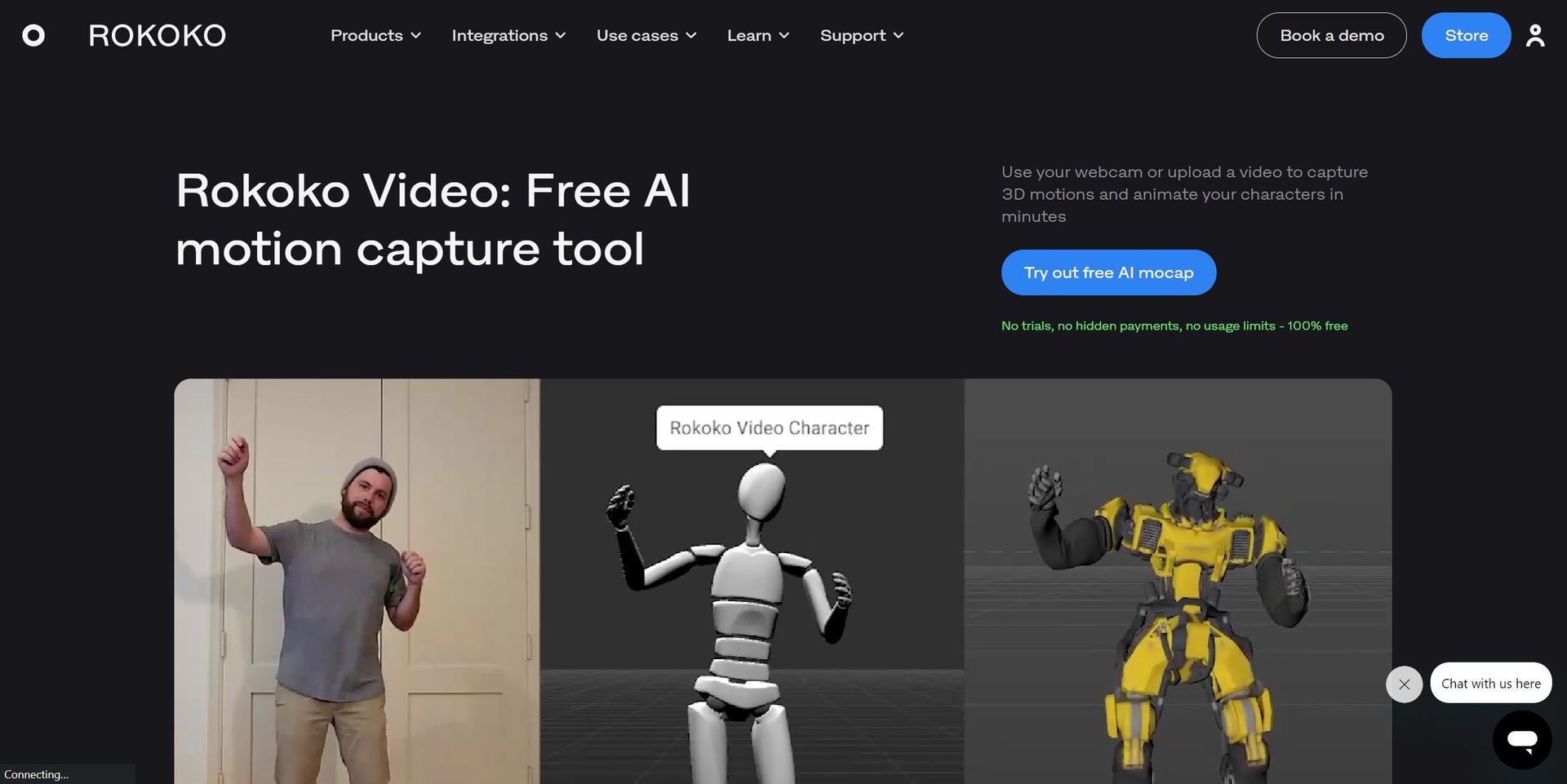
- AI Motion Capture: Utilizes advanced AI algorithms to convert video footage into precise 3D animations.
- Dual-Camera Support: Offers enhanced tracking accuracy and depth perception with an optional dual-camera setup.
- Real-Time Mocap in 3D Software: Seamlessly integrates with popular 3D software like Blender, Unity, and Unreal Engine for real-time motion capture.
- Accessible and User-Friendly: Designed to be intuitive, allowing users to start animating in minutes with minimal setup.
- ProsCost-Effective: Provides a high-quality mocap solution at a fraction of the cost of traditional systems.Ease of Use: Simplifies the mocap process, making it accessible to creators of all skill levels.Versatility: Supports a wide range of applications, from pre-visualization to final animation in various industries.Community Support: Backed by a vibrant community and comprehensive tutorials, ensuring users can maximize the tool's potential.ConsDependence on Video Quality: The accuracy of motion capture can be affected by the quality of the input video.Limited by Physical Space: The effectiveness of a single-camera setup may be constrained by the size of the recording area.Learning Curve for Advanced Features: While user-friendly, mastering the full suite of features and integrations may require time.
Best For
- Game Developers: Creating realistic character movements and animations.
- Filmmakers and VFX Artists: Visualizing and implementing motion scenes quickly.
- Digital Artists and Animators: Enhancing their creative workflows with efficient mocap.
- Educational Institutions: Teaching students the principles of motion capture and animation.
- Uncommon Use Cases: Theatre productions utilizing mocap for live performance enhancements; Fitness apps integrating 3D animations for workout guides.
Integrations
Blender Integration: Directly import captured animations into Blender for further refinement. Unreal and Unity Support: Seamlessly use mocap data within major game development engines. Export Formats: Offers .FBX and .BVH export options for compatibility with a wide range of 3D tools. Dual-Camera Setup: Enhances mocap quality, compatible with various webcams for flexibility.
Similar Tools
Weekly Issue
⚡
Video Generators tools · weekly digest
The AI Weekly — free in your inbox
New AI tools, pricing changes, expert picks, and hidden gems — curated by Mr. Spark every week. Join 5,000+ readers who stay ahead of the AI curve.
No spam, ever
Unsubscribe anytime
100% free