
Pricing Details
Free: $0 per month. Includes up to 20 credits per month, 3 basic themes, standard processing, no overage option, and community support. Plus: $10 per month (promo, normally $15). Includes up to 300 credits per month, all themes, $5 per 100 credits overage, priority processing, and direct email support. Pro: $100 per month. Includes up to 3000 credits per month, all themes, $5 per 200 credits overage, top priority processing, and direct email support. Disclaimer: Please note that pricing information may not be up to date. For the most accurate and current pricing details, refer to the official Snapdeck website.
Product Visuals (1 images)
Strengths
- Time Efficiency: Quickly creates presentations, saving users hours of manual slide design.
- Intuitive Interface: Easy to navigate, even for those with little presentation design experience.
- Diverse Template Options: A wide selection of templates ensures that presentations can be tailored to specific needs.
- Seamless Integration: Compatible with popular platforms like Notion for easy data import.
Limitations
- Initial Learning Curve: New users might need some time to get acquainted with all features.
- Template Limitations: Some users may find the available templates limited in customization options.
- Dependency on Internet: Requires a stable internet connection for optimal functionality.
What You Get
Key Features
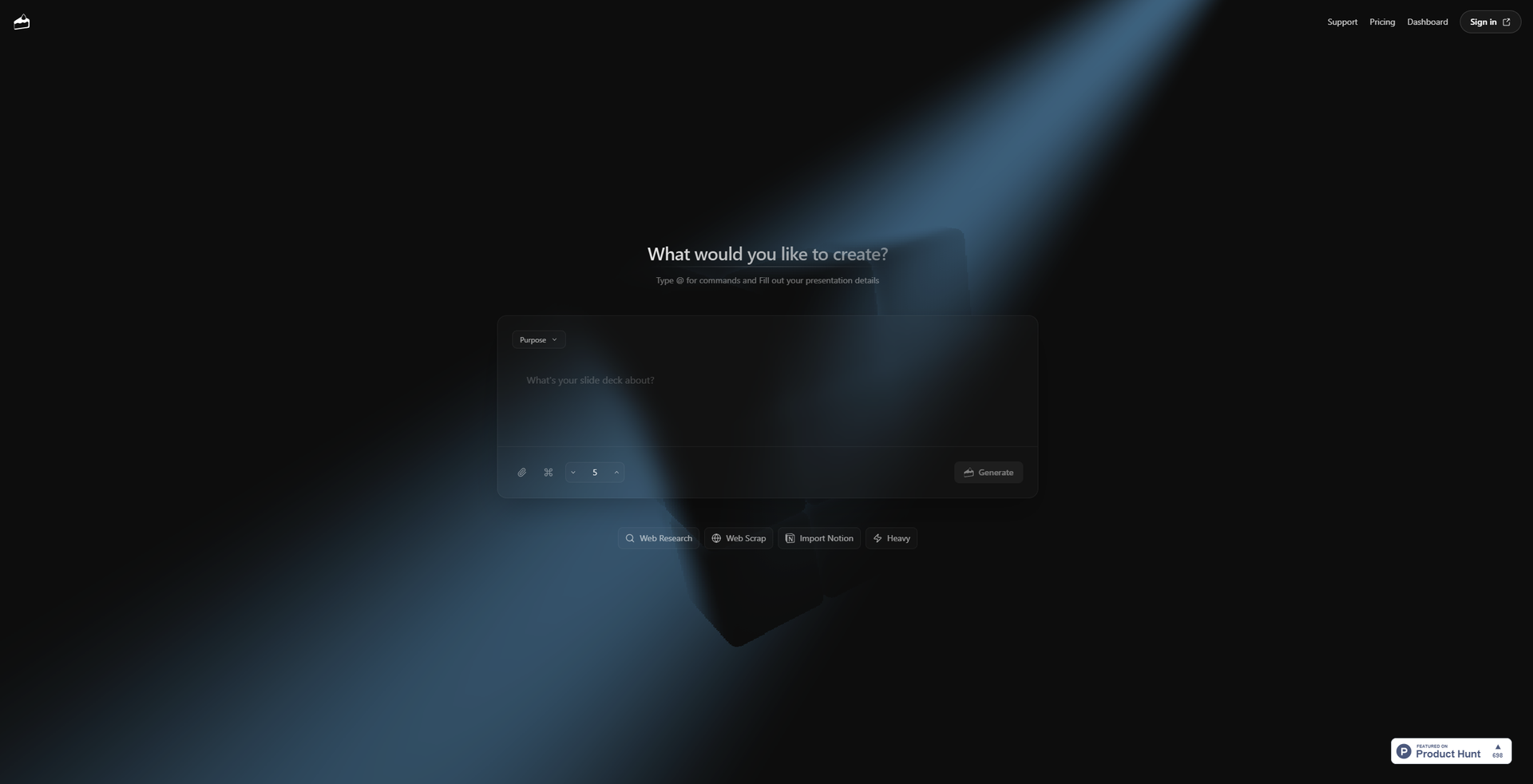
- AI-Driven Slide Generation: Snapdeck uses advanced AI algorithms to automatically generate presentation slides based on user input and context.
- Customizable Templates: Offers a variety of templates that can be tailored to fit different presentation styles and purposes.
- Web and Notion Integration: Allows users to import information directly from the web and Notion, making it easy to incorporate external content.
- User-Friendly Commands: With simple commands, users can efficiently organize their presentation content without needing extensive design skills.
- ProsTime Efficiency: Quickly creates presentations, saving users hours of manual slide design.Intuitive Interface: Easy to navigate, even for those with little presentation design experience.Diverse Template Options: A wide selection of templates ensures that presentations can be tailored to specific needs.Seamless Integration: Compatible with popular platforms like Notion for easy data import.ConsInitial Learning Curve: New users might need some time to get acquainted with all features.Template Limitations: Some users may find the available templates limited in customization options.Dependency on Internet: Requires a stable internet connection for optimal functionality.
Best For
- Business Professionals: Creating polished presentations for meetings and reports.
- Educators: Designing lectures and class presentations with ease.
- Startup Founders: Pitching ideas to investors with visually compelling decks.
- Students: Preparing academic presentations without the hassle of design.
- Uncommon Use Cases: Used by non-profit organizations to create awareness campaigns; Employed by event planners for organizing event schedules and presentations.
Similar Tools
Presentations tools · weekly digest
The AI Weekly — free in your inbox
New AI tools, pricing changes, expert picks, and hidden gems — curated by Mr. Spark every week. Join 5,000+ readers who stay ahead of the AI curve.