
Pricing Details
Free Version: Offers the full functionality of Watermarkly with the inclusion of a brand logo on processed images. Paid Upgrade: Removes Watermarkly branding and provides additional features. Disclaimer: For the most current and accurate pricing details, please refer to the Watermarkly website.
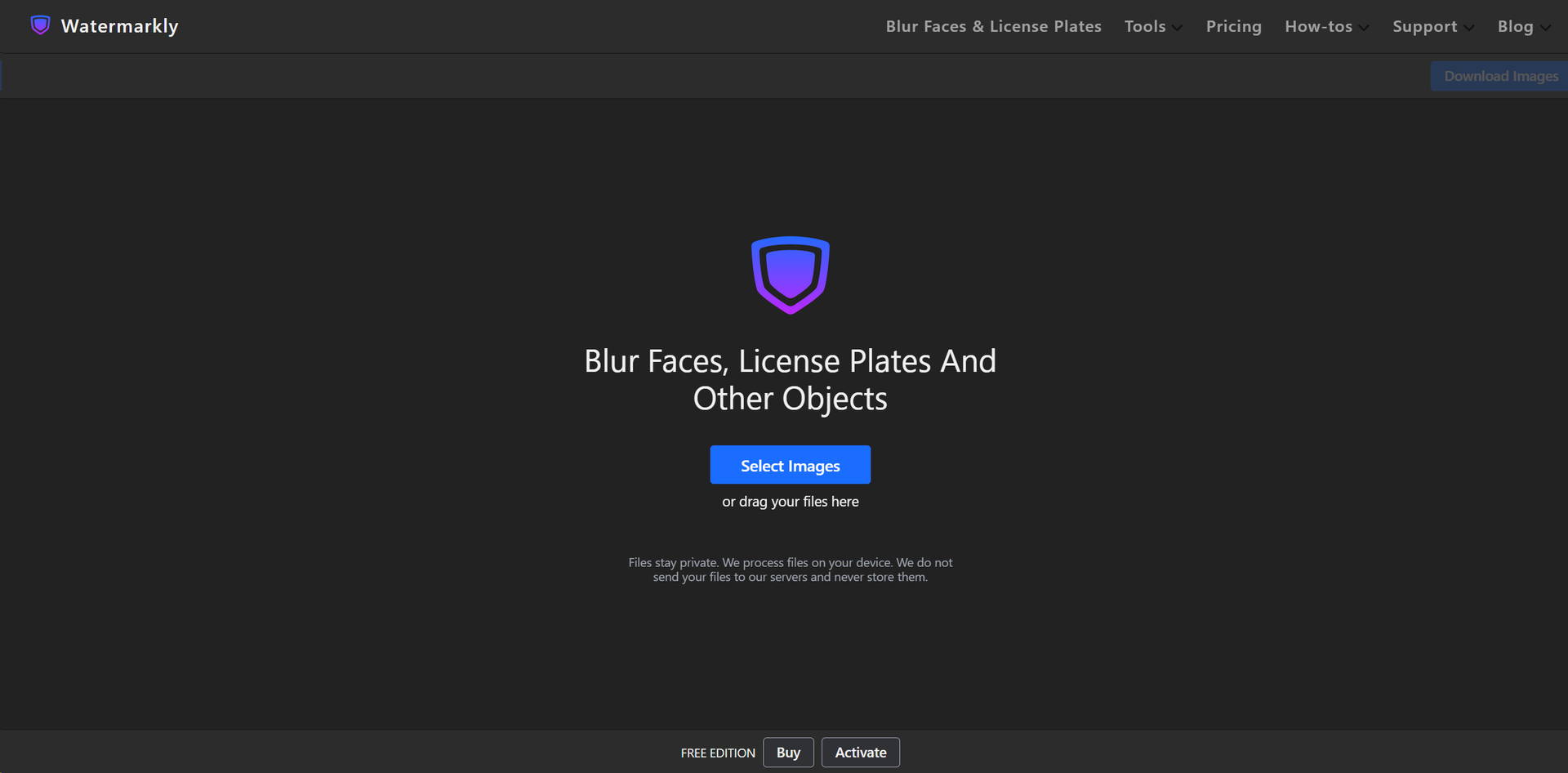
Product Visuals (1 images)
Strengths
- User Convenience: Intuitive design makes it easy for users of all skill levels to navigate and utilize the tool effectively.
- Efficiency in Processing: The ability to handle multiple images at once significantly reduces the time spent on editing.
- No Registration Required: Access the tool's features without the need for creating an account, offering immediate privacy solutions.
- Device Compatibility: As a browser-based tool, Watermarkly can be used across various devices, enhancing its accessibility.
Limitations
- Watermarkly Branding: The free version adds a Watermarkly logo to processed images, which may not be ideal for all users.
- Internet Dependency: Being an online tool, a reliable internet connection is necessary for uninterrupted use.
- Limited Editing Features: While focused on privacy protection, users looking for a broader range of photo editing capabilities might find the features somewhat restricted.
Building your AI toolkit?
Save Watermarkly and 1,000+ tools — free with Google, no spam
What You Get
Key Features
- Batch Face Blurring: Process multiple photos simultaneously, saving valuable time while maintaining privacy across numerous images.
- AI Detection: The AI-driven technology automatically identifies and blurs faces without the need for manual intervention, ensuring fast and reliable privacy protection.
- Selective Face Blurring: Offers the flexibility to blur only specific faces, allowing for greater control over the final output.
- Adjustable Blur Intensity: Customize the level of blurriness to balance privacy with image aesthetics.
- Versatile Object Blurring: Beyond faces, blur any object in the photo with customizable size, position, and shape settings.
- Seamless Border Integration: Blurred areas feature smooth borders, integrating naturally into the original image for a polished look.
- ProsUser Convenience: Intuitive design makes it easy for users of all skill levels to navigate and utilize the tool effectively.Efficiency in Processing: The ability to handle multiple images at once significantly reduces the time spent on editing.No Registration Required: Access the tool's features without the need for creating an account, offering immediate privacy solutions.Device Compatibility: As a browser-based tool, Watermarkly can be used across various devices, enhancing its accessibility.ConsWatermarkly Branding: The free version adds a Watermarkly logo to processed images, which may not be ideal for all users.Internet Dependency: Being an online tool, a reliable internet connection is necessary for uninterrupted use.Limited Editing Features: While focused on privacy protection, users looking for a broader range of photo editing capabilities might find the features somewhat restricted.
Best For
- Journalists: Protecting the identity of sources and subjects in sensitive news stories.
- Social Media Influencers: Ensuring privacy when sharing content that includes crowds or public spaces.
- Human Rights Activists: Safeguarding the identities of individuals in regions where privacy is a concern.
- Event Organizers: Blurring faces in promotional materials for events where not all attendees have given consent.
- Uncommon Use Cases: Utilized by researchers to anonymize subjects in study-related imagery; Adopted by meme creators for humorously altering content while respecting privacy.
Integrations
Browser-Based Functionality: Works across popular browsers, ensuring wide accessibility. Cross-Platform Use: Compatible with various operating systems including Windows, macOS, and Linux. Cloud Storage Access: Import images directly from cloud storage solutions for editing. Mobile Responsiveness: Though browser-based, the tool is usable on mobile devices for on-the-go privacy management.
Similar Tools

Weekly Issue
⚡
Image Editing tools · weekly digest
The AI Weekly — free in your inbox
New AI tools, pricing changes, expert picks, and hidden gems — curated by Mr. Spark every week. Join 5,000+ readers who stay ahead of the AI curve.
No spam, ever
Unsubscribe anytime
100% free