
Pricing Details
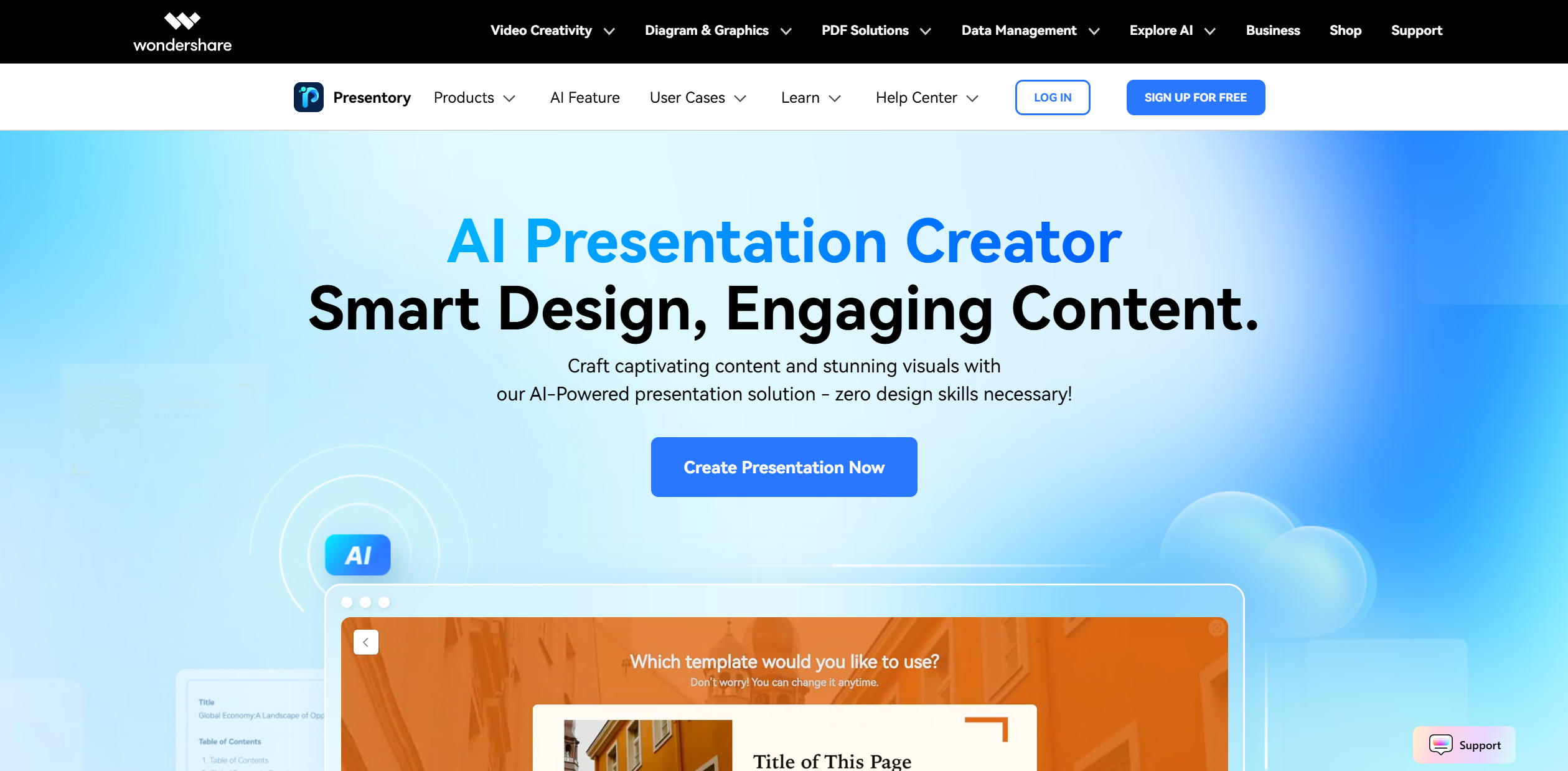
Free Tier: Experience Wondershare Presentory with a 7-day free trial. Disclaimer: Please note that pricing information may not be up to date. For the most accurate and current pricing details, refer to the official Wondershare Presentory website.
Product Visuals (1 images)
Strengths
- Time Efficiency: Reduces the time needed to create presentations significantly by automating content and design processes.
- User-Friendly Interface: Intuitive design makes it accessible even for those without design experience.
- Versatility: Offers a wide variety of theme styles and responsive layouts to suit diverse presentation needs.
- AI-Driven Content Enhancement: Refines text and image matching, ensuring presentations are both engaging and accurate.
Limitations
- Initial Learning Curve: Some users may require time to familiarize themselves with the full suite of features.
- Limited Integration: Currently, integration with third-party tools is somewhat limited.
Building your AI toolkit?
Save Wondershare Presentory and 1,000+ tools — free with Google, no spam
What You Get
Key Features
- AI PowerPoint Generator: Utilize GPT-4 to generate professional presentations simply by entering your topic.
- Responsive Layouts: Offers over 20 layout styles, automatically adjusting to fit any content structure for seamless presentation delivery.
- AI Image Generator: Instantly create high-quality images tailored to your presentation content, enhancing visual appeal.
- Component-Based Editing: Easily modify elements such as text boxes, images, and colors to create dynamic and eye-catching slides.
- ProsTime Efficiency: Reduces the time needed to create presentations significantly by automating content and design processes.User-Friendly Interface: Intuitive design makes it accessible even for those without design experience.Versatility: Offers a wide variety of theme styles and responsive layouts to suit diverse presentation needs.AI-Driven Content Enhancement: Refines text and image matching, ensuring presentations are both engaging and accurate.ConsInitial Learning Curve: Some users may require time to familiarize themselves with the full suite of features.Limited Integration: Currently, integration with third-party tools is somewhat limited.
Best For
- Educators: Enhancing classroom engagement with visually appealing and easy-to-understand slides.
- Marketing Professionals: Crafting impactful presentations for campaigns and client pitches.
- Corporate Trainers: Streamlining employee training sessions with AI-generated content.
- Sales Teams: Creating persuasive presentations to drive sales efforts.
- Uncommon Use Cases:
- Adopted by financial analysts for data visualization.
- Utilized by researchers to present findings in an engaging manner.
Similar Tools
Weekly Issue
⚡
Presentations tools · weekly digest
The AI Weekly — free in your inbox
New AI tools, pricing changes, expert picks, and hidden gems — curated by Mr. Spark every week. Join 5,000+ readers who stay ahead of the AI curve.
No spam, ever
Unsubscribe anytime
100% free