
Pricing Details
Free Tier: Enjoy high-definition video creation without watermarks. Premium Features: Available with a Microsoft365 subscription. Disclaimer: For the most current pricing details, please visit the Clipchamp website.
Product Visuals (1 images)
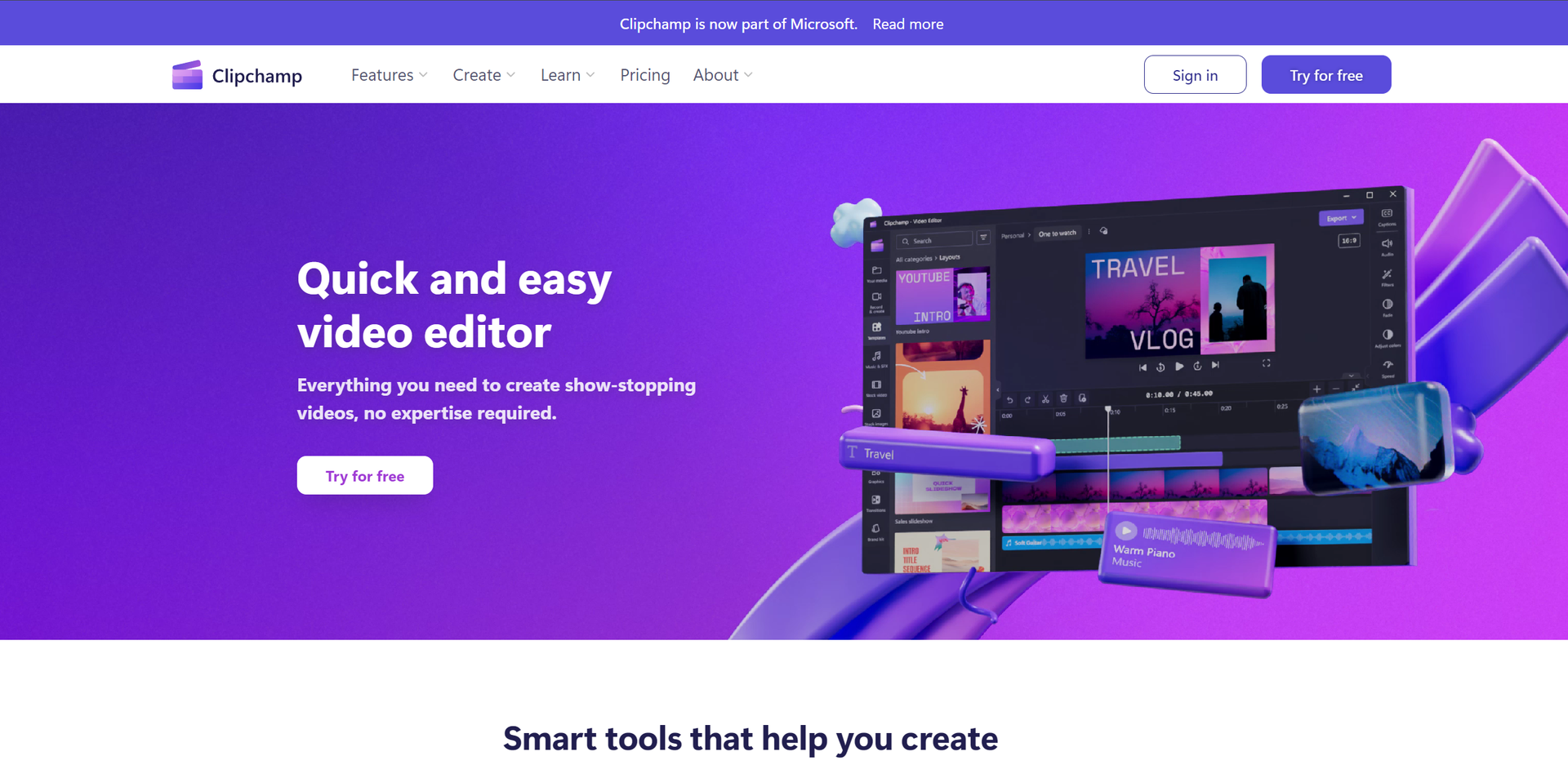
Strengths
- Ease of Use: Intuitive interface that simplifies the video editing process.
- High-Quality Output: Enables creation of high-definition videos (1080p) for professional-looking results.
- Versatility: Suitable for a wide range of users, from individuals to businesses and educators.
- Cost-Effective: Offers a robust free version and premium features accessible with a Microsoft365 subscription.
Limitations
- Learning Curve: New users may need time to fully exploit the advanced features.
- Platform Limitations: Some premium features require a Microsoft365 subscription.
- Internet Dependency: Being primarily an online tool, a stable internet connection is crucial for uninterrupted usage.
Building your AI toolkit?
Save Clipchamp and 1,000+ tools — free with Google, no spam
What You Get
Key Features
- Autocaptions: Automatically generates accurate captions in over 80 languages, leveraging advanced speech-to-text technology.
- Text to Speech: Converts text into natural-sounding speech in a variety of languages and voices.
- Resize Video: Easily adjust the aspect ratio of videos to fit different platforms, complete with background customization options.
- Speaker Coach: Offers valuable feedback on your speaking pace, pitch, and use of filler words to help improve your communication skills.
- Auto Compose: Utilizes AI to streamline the video creation process, transforming your media into engaging content.
- Royalty-Free Elements: Access to a vast library of royalty-free elements to enhance your videos without watermarks.
- Cross-Platform Accessibility: Available as an in-browser app, desktop app, and mobile app, ensuring flexibility and convenience for users.
- ProsEase of Use: Intuitive interface that simplifies the video editing process.High-Quality Output: Enables creation of high-definition videos (1080p) for professional-looking results.Versatility: Suitable for a wide range of users, from individuals to businesses and educators.Cost-Effective: Offers a robust free version and premium features accessible with a Microsoft365 subscription.ConsLearning Curve: New users may need time to fully exploit the advanced features.Platform Limitations: Some premium features require a Microsoft365 subscription.Internet Dependency: Being primarily an online tool, a stable internet connection is crucial for uninterrupted usage.
Best For
- Content Creators: For producing YouTube, TikTok, and Instagram videos that stand out.
- Businesses: To create compelling promotional and corporate videos.
- Educators: For making educational content more engaging with video resources.
- Social Media Managers: To quickly craft and edit content for various platforms.
- Uncommon Use Cases: Non-profits using video storytelling for awareness campaigns; Podcasters for creating video snippets of their episodes.
Integrations
Cross-Platform Use: Accessible via web, Windows, and iOS devices. Microsoft365 Integration: Premium features enhance productivity for Microsoft365 subscribers. Social Media Compatibility: Optimized output for platforms like YouTube, Instagram, and TikTok.
Similar Tools
Weekly Issue
⚡
Video Enhancer tools · weekly digest
The AI Weekly — free in your inbox
New AI tools, pricing changes, expert picks, and hidden gems — curated by Mr. Spark every week. Join 5,000+ readers who stay ahead of the AI curve.
No spam, ever
Unsubscribe anytime
100% free