
Pricing Details
Free Tier: Basic features with limited capabilities. Standard Tier: Starting at $50 per month, providing access to core features. Enterprise Solutions: Custom pricing based on organizational needs. Disclaimer: For the most accurate and current pricing details, please refer to the official DataSnipper website.
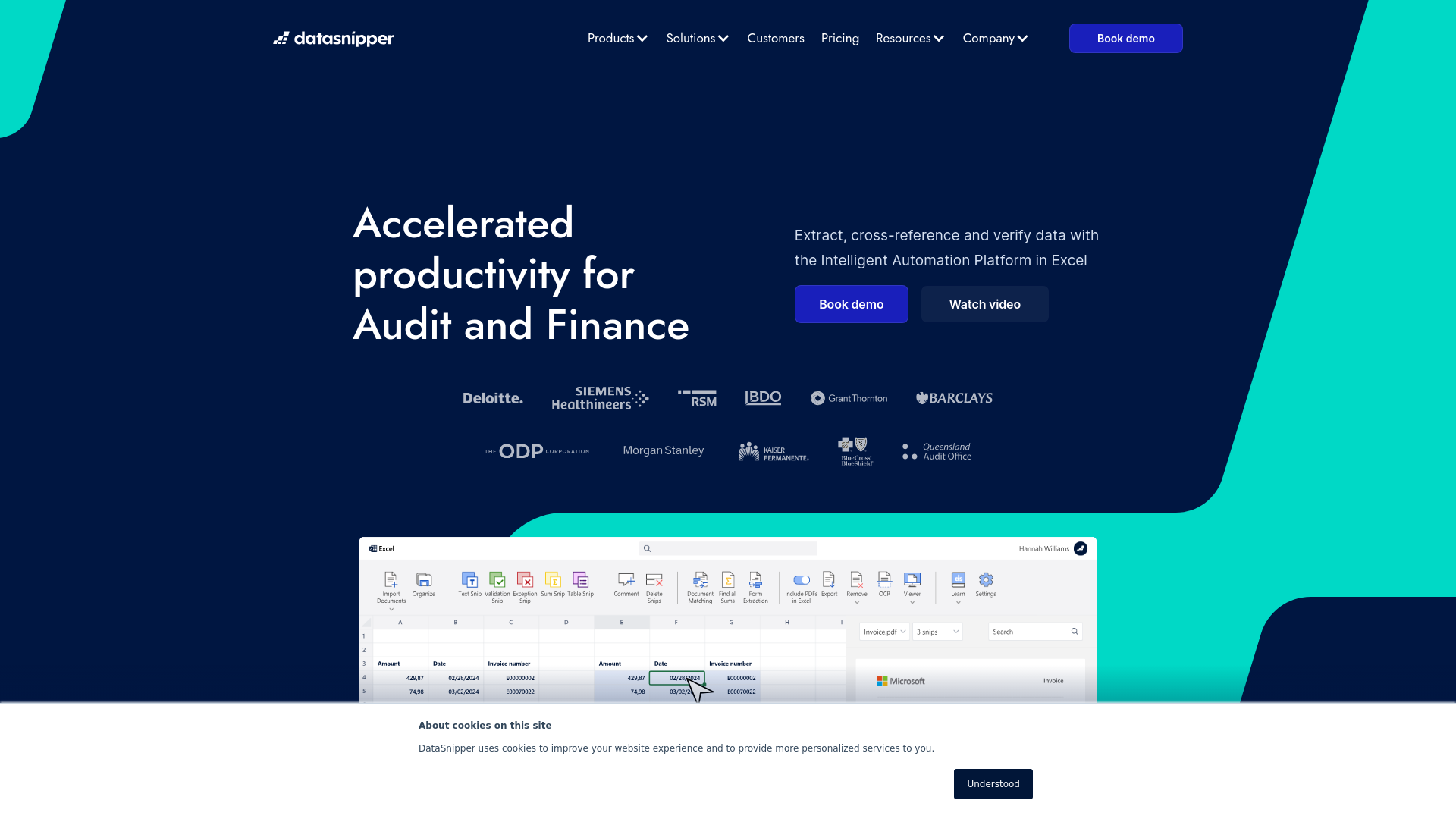
Product Visuals (1 images)
Strengths
- Enhanced Productivity: Automates repetitive tasks, saving time and allowing teams to focus on critical analysis.
- Error Reduction: Reduces human error by automating data extraction and verification.
- Scalability: Adapts to various team sizes and complexities, from small firms to large enterprises.
- User-Friendly Interface: Integrates smoothly with familiar tools like Excel, ensuring a shallow learning curve.
Limitations
- Initial Setup Requirements: May require initial training and setup to fully integrate into existing systems.
- Dependency on Excel: Limited to environments where Excel is used.
- Advanced Features Learning Curve: Some advanced features might require additional training.
Building your AI toolkit?
Save DataSnipper and 1,000+ tools — free with Google, no spam
What You Get
Key Features
- Document Matching: Automatically aligns Excel data with supporting documents, enhancing accuracy and trust in data verification.
- Form Extraction: Extracts data instantly from consistently formatted documents, accelerating data processing.
- Table Snip: Simplifies the extraction of tabular data from PDFs into Excel, making data manipulation and analysis more manageable.
- Cloud Collaboration Suite: Integrates workflows within a unified platform to facilitate seamless team collaboration.
- AI Suite: Upcoming features focused on further automating and refining data handling processes.
- ProsEnhanced Productivity: Automates repetitive tasks, saving time and allowing teams to focus on critical analysis.Error Reduction: Reduces human error by automating data extraction and verification.Scalability: Adapts to various team sizes and complexities, from small firms to large enterprises.User-Friendly Interface: Integrates smoothly with familiar tools like Excel, ensuring a shallow learning curve.ConsInitial Setup Requirements: May require initial training and setup to fully integrate into existing systems.Dependency on Excel: Limited to environments where Excel is used.Advanced Features Learning Curve: Some advanced features might require additional training.
Best For
- External Audit Teams: Enhancing audit efficiency and accuracy.
- Internal Audit Departments: Streamlining internal audit processes.
- Tax Professionals: Managing large volumes of tax-related documentation and data.
- Financial Controllers: Verifying and managing financial data effectively.
- Government Audit Agencies: Auditing public sector financials.
- Uncommon Use Cases: Educational institutions for teaching audit-related courses; non-profit organizations for efficient financial management.
Integrations
Microsoft Excel Integration: Fully integrates with Excel to enhance its native capabilities. Cloud Services Compatibility: Works with major cloud storage solutions for remote and collaborative work. API Access: Offers API options for custom integrations tailored to organizational needs. Continuous Software Updates: Regular updates add new features and improve functionalities.
Similar Tools
Weekly Issue
⚡
Spreadsheets tools · weekly digest
The AI Weekly — free in your inbox
New AI tools, pricing changes, expert picks, and hidden gems — curated by Mr. Spark every week. Join 5,000+ readers who stay ahead of the AI curve.
No spam, ever
Unsubscribe anytime
100% free