
Pricing Details
Free Tier: Users can start with a free version that includes basic features. Paid Features: Advanced functionalities are available through various pricing models, reflecting the cost of using different AI models. Disclaimer: The pricing information is subject to change. For the most current details, please refer to the official GPT for Sheets and Docs website.
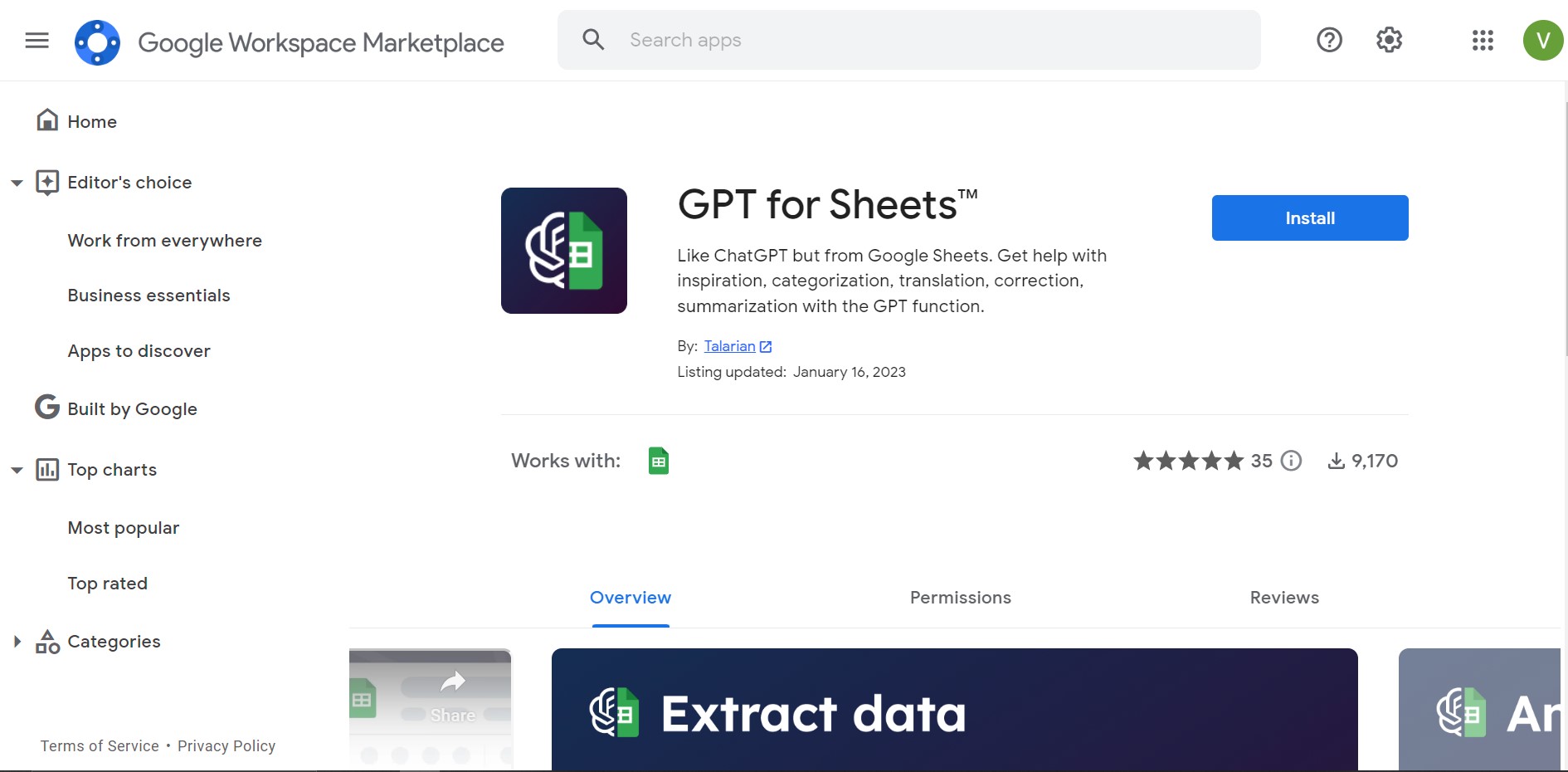
Product Visuals (1 images)
Strengths
- Enhanced Productivity: Dramatically reduces the time needed for data-related tasks and content creation.
- Cost-Effective Solution: Offers a free tier with optional paid features, providing flexibility for businesses and individuals.
- User-Friendly Interface: Intuitive design that integrates smoothly with Sheets and Docs, making it accessible for users of all skill levels.
- Support and Documentation: Comes with comprehensive documentation and responsive support, ensuring users can maximize the tool's potential.
Limitations
- Learning Curve: New users may need some time to familiarize themselves with the tool's full range of capabilities.
- Model Costs: While the tool itself is affordable, extensive use of certain AI models may incur additional costs.
- Integration Limitations: Primarily designed for Google Workspace, which may limit its use for those reliant on other productivity suites.
Building your AI toolkit?
Save GPT for Sheets and Docs and 1,000+ tools — free with Google, no spam
What You Get
Key Features
- Bulk Processing Capabilities: Ideal for handling tasks at scale, such as rewriting, categorizing, and clustering data in Google Sheets™.
- Diverse Model Selection: Access to a range of models including OpenAI's GPT-3.5, GPT-4 Turbo, GPT-4, GPT-4 Vision, Anthropic's Claude 3, and Perplexity's sonar-small-online.
- Versatile Use Cases: Supports a wide array of text-based tasks, from writing and editing to summarizing and translating, across both Sheets and Docs.
- Ease of Integration: Designed to work effortlessly within the Google Workspace environment, requiring minimal setup for immediate use.
- ProsEnhanced Productivity: Dramatically reduces the time needed for data-related tasks and content creation.Cost-Effective Solution: Offers a free tier with optional paid features, providing flexibility for businesses and individuals.User-Friendly Interface: Intuitive design that integrates smoothly with Sheets and Docs, making it accessible for users of all skill levels.Support and Documentation: Comes with comprehensive documentation and responsive support, ensuring users can maximize the tool's potential.ConsLearning Curve: New users may need some time to familiarize themselves with the tool's full range of capabilities.Model Costs: While the tool itself is affordable, extensive use of certain AI models may incur additional costs.Integration Limitations: Primarily designed for Google Workspace, which may limit its use for those reliant on other productivity suites.
Best For
- Content Creators: For generating blog post ideas, writing articles, and crafting engaging social media content.
- Data Analysts: Employing the tool for data cleaning, extraction, and summarization to streamline analysis.
- E-commerce Managers: Using it to manage and clean product catalogs for online stores like Shopify and Amazon.
- Marketers: For creating ad copy, SEO metadata, and landing page content efficiently.
- Uncommon Use Cases: Educational institutions leveraging it for academic research and freelance translators for bulk translation projects.
Integrations
Google Workspace Integration: Fully integrated within Google Sheets™ and Docs™ for a seamless user experience. Model Selection: Offers a choice between several AI models, allowing users to select based on their specific needs and budget. Easy Access: No need for complex setups; users can start using the tool right from their Google Sheets and Docs interface.
Similar Tools
Weekly Issue
⚡
Spreadsheets tools · weekly digest
The AI Weekly — free in your inbox
New AI tools, pricing changes, expert picks, and hidden gems — curated by Mr. Spark every week. Join 5,000+ readers who stay ahead of the AI curve.
No spam, ever
Unsubscribe anytime
100% free