
Pricing Details
Free Trial: Available with limited features to get a feel for the tool before purchasing. Standard Edition: Starts at $19.95 per month, offering full functionality with no watermark. Disclaimer: Please note that pricing information may not be up to date. For the most accurate and current pricing details, refer to the official HitPaw Edimakor website.
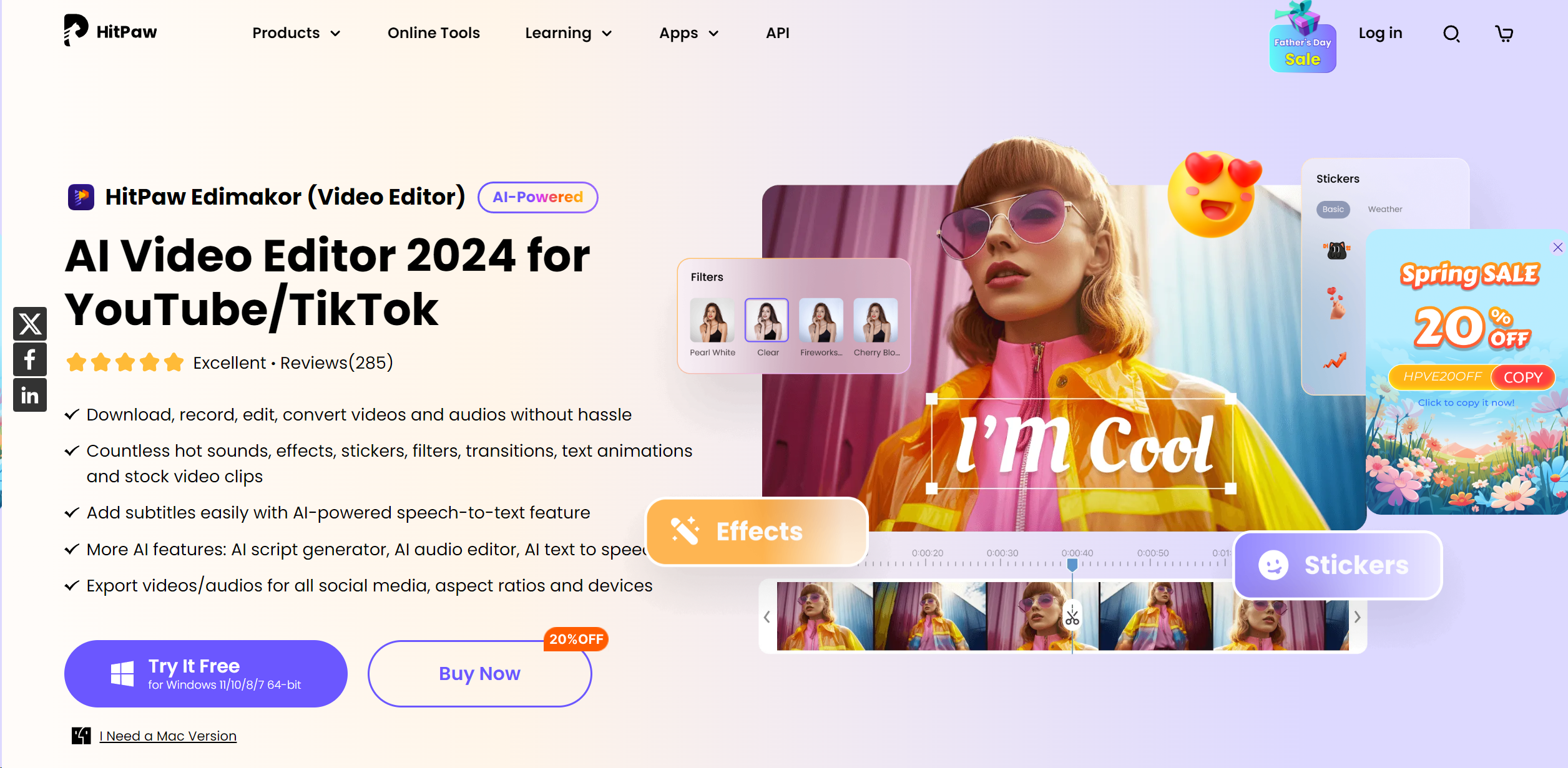
Product Visuals (1 images)
Building your AI toolkit?
Save HitPaw Edimakor and 1,000+ tools — free with Google, no spam
What You Get
Key Features
- AI-Powered Subtitle Generation: Automatically transcribes spoken words to text, significantly easing the subtitle creation process.
- Advanced Video Effects: Includes a vast library of filters, stickers, transitions, and text animations to enhance visual appeal.
- Speed Adjustment Tools: Allows for easy adjustments of video playback speed to create dynamic effects or emphasize specific moments.
- Comprehensive Audio Editing: Equipped with tools to cut, adjust speed, and remove noise, ensuring your video’s audio is as crisp as its visuals.
- Multi-Platform Export Options: Supports exporting videos in various aspect ratios and formats, optimized for social media platforms.
- Pros
- User-Friendly Interface: Simplifies the learning curve with an intuitive design and streamlined workflow.
- Cost-Effective: Offers competitive pricing without compromising on features and functionality.
- High Customization Capability: Extensive editing toolkit allows for high customization of video projects.
- Robust Support Resources: Provides detailed tutorials and customer support for a smooth user experience.
- Cons
- Platform Limitations: Currently available only for Windows and macOS, limiting accessibility for users on other platforms.
- Resource Intensity: May require a relatively modern computer system to operate smoothly due to its advanced features.
Best For
- HitPaw Edimakor caters to a diverse user base, reflecting its versatility and ease of use:
- Content Creators: Utilize the tool to produce engaging content for platforms like YouTube and TikTok.
- Educational Professionals: Adopt it to create instructional videos that require clear, concise, and engaging visual aids.
- Marketing Agencies: Leverage its advanced features to craft compelling promotional videos that captivate and convert.
- Freelancers: Depend on its cost-effectiveness and robust features to deliver professional-grade videos.
- Uncommon Use Cases: Used by non-profits to create impactful advocacy videos; utilized in video art installations for its high customization capabilities.
Integrations
OS Compatibility: Fully compatible with Windows and macOS. File Format Support: Supports a wide range of video and audio file formats for comprehensive editing. Social Media Integration: Directly export videos to various social media platforms with optimized settings. Hardware Integration: Works well with standard computer hardware without needing specialized equipment.
Similar Tools
Weekly Issue
⚡
Video Enhancer tools · weekly digest
The AI Weekly — free in your inbox
New AI tools, pricing changes, expert picks, and hidden gems — curated by Mr. Spark every week. Join 5,000+ readers who stay ahead of the AI curve.
No spam, ever
Unsubscribe anytime
100% free