
Pricing Details
Free Tier: Experience Quip with a 30-day free trial. Pro Tier: The Pro Tier starts at $10 per user per month. Disclaimer: Please note that pricing information may not be up to date. For the most accurate and current pricing details, refer to the official Quip website.
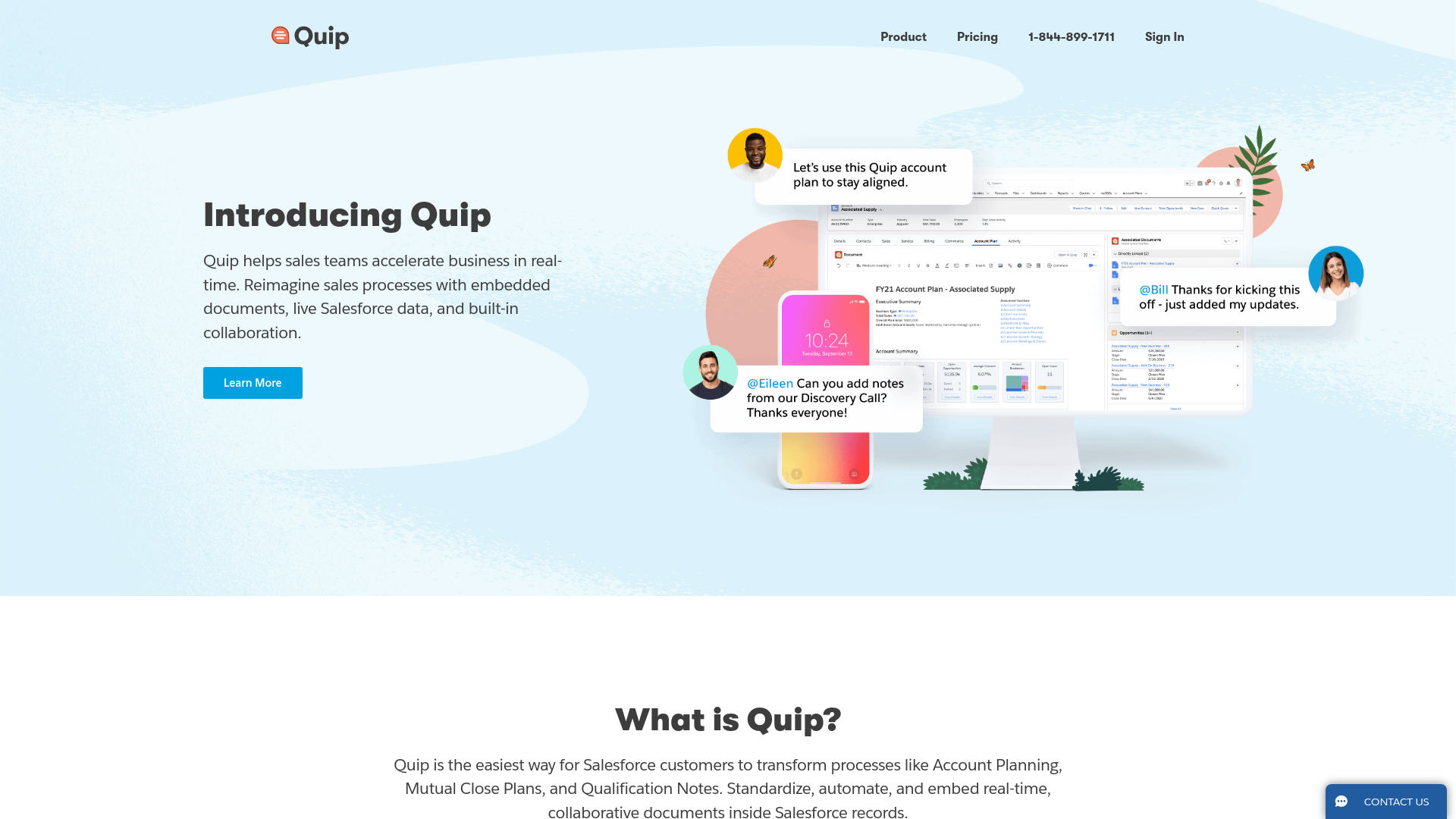
Product Visuals (1 images)
Strengths
- Enhanced Collaboration: Quip's real-time collaboration features significantly improve team efficiency and communication.
- Seamless Integration with Salesforce: Direct embedding of documents within Salesforce records makes it an invaluable tool for Salesforce users.
- User-Friendly Interface: The intuitive design ensures that users can quickly adapt and start using Quip effectively.
- Security and Compliance: Advanced security features provide peace of mind for businesses handling sensitive data.
Limitations
- Salesforce Dependency: Quip is primarily designed for Salesforce customers, which may limit its appeal to non-Salesforce users.
- Initial Setup: The initial setup and integration with Salesforce can be complex and time-consuming.
- Limited Standalone Use: Quip's full potential is realized when integrated with Salesforce, limiting its standalone functionality.
What You Get
Key Features
- Embedded Documents: Quip allows users to embed live, collaborative documents directly within Salesforce records. This feature ensures that all relevant information is easily accessible and up-to-date.
- Integrated Spreadsheets: Users can embed spreadsheets into documents, providing the necessary context to make critical business decisions. This integration turns raw data into actionable insights.
- Team Chat: Built-in chat functionality within every document and spreadsheet helps break down information silos. This feature includes team chat rooms and 1:1 messaging, facilitating seamless communication.
- Real-Time Collaboration: Quip enables real-time collaboration on documents and spreadsheets, ensuring that all team members are on the same page and can contribute simultaneously.
- Security and Compliance: Quip provides advanced security features, including data protection, privacy controls, and compliance tools, making it suitable for even the most security-conscious organizations.
- ProsEnhanced Collaboration: Quip's real-time collaboration features significantly improve team efficiency and communication.Seamless Integration with Salesforce: Direct embedding of documents within Salesforce records makes it an invaluable tool for Salesforce users.User-Friendly Interface: The intuitive design ensures that users can quickly adapt and start using Quip effectively.Security and Compliance: Advanced security features provide peace of mind for businesses handling sensitive data.ConsSalesforce Dependency: Quip is primarily designed for Salesforce customers, which may limit its appeal to non-Salesforce users.Initial Setup: The initial setup and integration with Salesforce can be complex and time-consuming.Limited Standalone Use: Quip's full potential is realized when integrated with Salesforce, limiting its standalone functionality.
Best For
- Sales Teams: Quip is widely used by sales teams to manage account planning, close plans, and qualification notes.
- Project Managers: Leveraging Quip for real-time collaboration and document management across various projects.
- Marketing Teams: Utilizing Quip to streamline campaign planning and execution.
- Customer Support Teams: Using Quip to manage support documentation and collaborate on customer issues.
- Uncommon Use Cases:
- Educational institutions employ Quip for teaching collaborative project management courses.
- Non-profit organizations use it for coordinating volunteer activities and managing donations.
Similar Tools
Weekly Issue
⚡
Spreadsheets tools · weekly digest
The AI Weekly — free in your inbox
New AI tools, pricing changes, expert picks, and hidden gems — curated by Mr. Spark every week. Join 5,000+ readers who stay ahead of the AI curve.
No spam, ever
Unsubscribe anytime
100% free