
Pricing Details
Free Tier: Users can explore SheetAI App's features with a limited free trial. Subscription Plans: Various pricing options are available to suit different needs and scales of use. Disclaimer: For the most accurate and current pricing details, refer to the official SheetAI App website. Access: AI Presentation Tools AI Tools for Project Management AI Summarizers
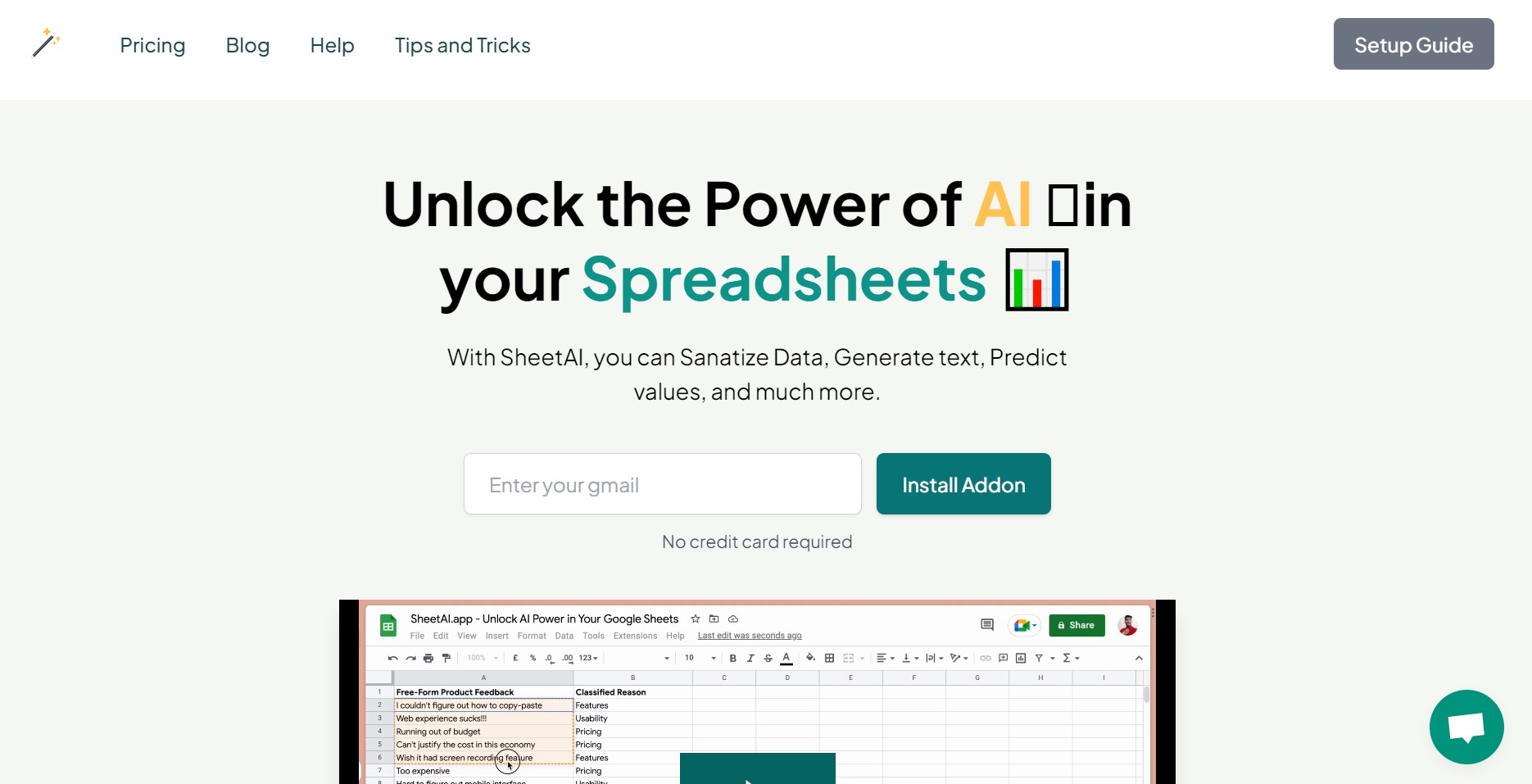
Product Visuals (1 images)
Strengths
- Enhanced Productivity: Streamlines various spreadsheet-related tasks, saving users valuable time.
- Intuitive AI Integration: Brings the power of AI to Google Sheets without the need for complex coding or external applications.
- Versatile Applications: Useful for a multitude of purposes, from data sanitation to predictive analytics.
- Positive User Feedback: Has received acclaim for its effectiveness in boosting productivity and offering innovative spreadsheet solutions.
Limitations
- Desktop and Laptop Limitation: Currently available only for desktop and laptop devices, potentially limiting accessibility for mobile users.
- Learning Curve: Users may need time to familiarize themselves with the AI functions and best practices for leveraging them effectively.
- Platform Dependency: As an add-on for Google Sheets, its functionality is tied to the Google ecosystem, which could be a limitation for users of other spreadsheet platforms.
Building your AI toolkit?
Save SheetAI.app and 1,000+ tools — free with Google, no spam
What You Get
Key Features
- Efficient Copywriting with SHEETAI_BRAIN: Automates content generation by pulling information from a database, simplifying the copywriting process.
- Generate Multiple Answers with SHEETAI_LIST: Offers a range of AI-generated responses, providing multiple perspectives for decision-making.
- Populate Data with SHEETAI_FILL: Enables users to easily fill in data fields, such as product descriptions or email lists, leveraging AI to streamline data entry.
- AI-Powered Insights: Utilizes advanced algorithms to analyze data and generate actionable insights within Google Sheets.
- ProsEnhanced Productivity: Streamlines various spreadsheet-related tasks, saving users valuable time.Intuitive AI Integration: Brings the power of AI to Google Sheets without the need for complex coding or external applications.Versatile Applications: Useful for a multitude of purposes, from data sanitation to predictive analytics.Positive User Feedback: Has received acclaim for its effectiveness in boosting productivity and offering innovative spreadsheet solutions.ConsDesktop and Laptop Limitation: Currently available only for desktop and laptop devices, potentially limiting accessibility for mobile users.Learning Curve: Users may need time to familiarize themselves with the AI functions and best practices for leveraging them effectively.Platform Dependency: As an add-on for Google Sheets, its functionality is tied to the Google ecosystem, which could be a limitation for users of other spreadsheet platforms.
Best For
- E-commerce Businesses: Employing the app to automate product description generation and database management.
- Digital Marketing Agencies: Using AI to enhance marketing strategies and generate content.
- Data Analysts: Leveraging the tool to clean data and predict values efficiently.
- Content Creators: Streamlining the process of writing and organizing content within spreadsheets.
- Uncommon Use Cases: Academic researchers are using SheetAI for qualitative data analysis; Non-profit organizations utilize it for grant writing and reporting.
Integrations
Google Sheets Exclusive: Designed specifically for seamless use within Google Sheets. OpenAI Platform: Powered by OpenAI's GPT-3 for advanced AI capabilities. Web-Based Access: Accessible through any web browser on desktop and laptop devices.
Similar Tools
Weekly Issue
⚡
Spreadsheets tools · weekly digest
The AI Weekly — free in your inbox
New AI tools, pricing changes, expert picks, and hidden gems — curated by Mr. Spark every week. Join 5,000+ readers who stay ahead of the AI curve.
No spam, ever
Unsubscribe anytime
100% free