
Pricing Details
Free: Use Zoho Sheet with robust features at no cost. Disclaimer: Visit the Zoho Sheet official website for current and detailed pricing.
Product Visuals (1 images)
Strengths
- Highly Customizable: Tailor spreadsheets with interactive elements like drop-down menus and check boxes.
- Cross-Platform Accessibility: Access via web browsers, iOS, and Android apps for productivity on the go.
- Excel Compatibility: Smooth transition from Excel with no loss of formatting, ideal for Excel users.
- Advanced Charting and Pivot Tables: Offers nearly 40 chart types and dynamic pivot table builders for visual data analysis.
Limitations
- Learning Curve: New users may require time to familiarize themselves with advanced features.
- Internet Dependency: Relies on a stable internet connection for uninterrupted access.
- Feature Overload: Extensive features and integrations can overwhelm basic users.
Building your AI toolkit?
Save Zoho Sheet and 1,000+ tools — free with Google, no spam
What You Get
Key Features
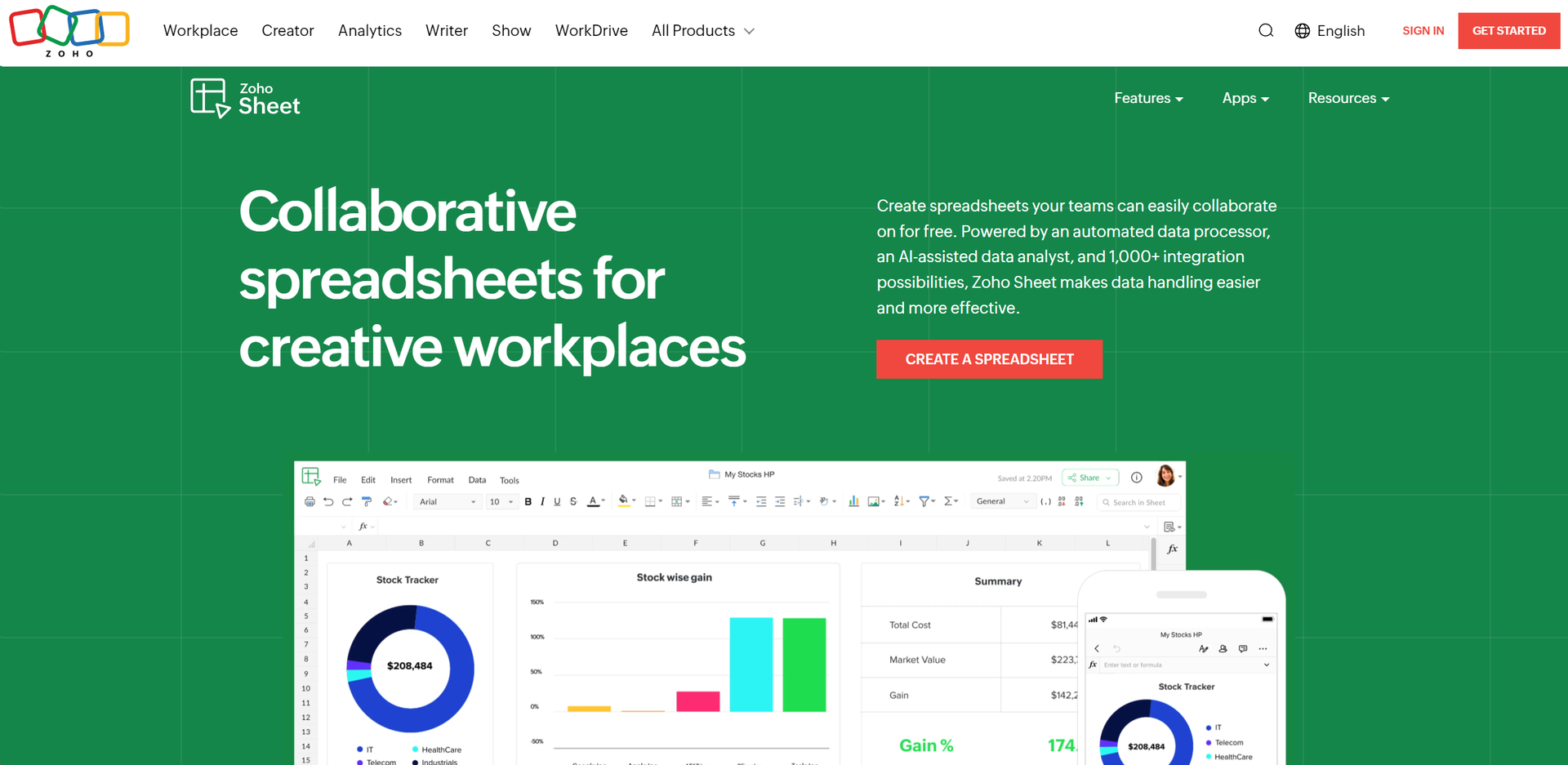
- Automated Data Processor: Simplifies data handling by automating repetitive tasks, reducing human error.
- AI-Assisted Data Analyst: Uses advanced AI for insights, reports, and data interpretation, enhancing complex analysis.
- Comprehensive Integration Capabilities: Integrates with over 1,000 Zoho applications and cloud-based software, ensuring smooth workflows.
- Real-Time Collaboration: Allows simultaneous work with locking cells, tracking changes, and managing versions effectively.
- ProsHighly Customizable: Tailor spreadsheets with interactive elements like drop-down menus and check boxes.Cross-Platform Accessibility: Access via web browsers, iOS, and Android apps for productivity on the go.Excel Compatibility: Smooth transition from Excel with no loss of formatting, ideal for Excel users.Advanced Charting and Pivot Tables: Offers nearly 40 chart types and dynamic pivot table builders for visual data analysis.ConsLearning Curve: New users may require time to familiarize themselves with advanced features.Internet Dependency: Relies on a stable internet connection for uninterrupted access.Feature Overload: Extensive features and integrations can overwhelm basic users.
Best For
- Financial Analysts: For complex financial forecasting and budgeting.
- Project Managers: Tracking project timelines and resource allocation.
- Educational Institutions: Managing administrative data and classroom activities.
- Healthcare Professionals: Handling patient data and scheduling.
- Uncommon Use Cases: Non-profits for grant tracking, event planners for guest lists and logistics.
Similar Tools
Weekly Issue
⚡
Spreadsheets tools · weekly digest
The AI Weekly — free in your inbox
New AI tools, pricing changes, expert picks, and hidden gems — curated by Mr. Spark every week. Join 5,000+ readers who stay ahead of the AI curve.
No spam, ever
Unsubscribe anytime
100% free